Amazon SEO & ChatGPT: 4 Prompts to Use AI Without Hurting Rankings

Sellerise Team, Contributor

4 min read -

Updated:

ChatGPT has quickly become one of the most popular tools among Amazon sellers. It’s used to use prompts to write product listings, improve bullet points, brainstorm titles, and speed up content creation.

But there’s an important detail many sellers overlook:

If you use ChatGPT without proper keyword research, your Amazon listing may look good, but bring very little ranking value.

This article explains how Amazon sellers should actually use ChatGPT, what mistakes to avoid, and which prompts work best when combined with real Amazon keyword data.


Why “AI-generated listings” often fail on Amazon

A common workflow looks like this:

A seller opens ChatGPT and asks:
“Create an Amazon product listing for my product.”

ChatGPT responds with clean, professional copy. The text flows well. The structure looks correct.

Yet the listing doesn’t rank.

The reason is simple: ChatGPT doesn’t know which keywords bring sales on Amazon. It doesn’t see keyword-level revenue data, Search Query Performance, or what Amazon already considers relevant in your niche.

Amazon SEO is not about creativity alone. It’s about aligning your listing with keywords that already convert.

Amazon SEO starts before you open ChatGPT

On Amazon, rankings are driven by data. Your listing needs to be built around keywords that already generate sales, not guesses.

Before using AI, sellers must first understand:

  • Which keywords shoppers actually search for
  • Which keywords work best for you
  • Which keywords competitors rank for
  • Which keywords Amazon already rewards with visibility

Without this step, AI simply fills space with generic language.

Step 1: Do keyword research first

Before writing a single word with ChatGPT, do keyword research.

Your goal is to collect:

  • High-intent keywords
  • Keywords with proven sales history
  • Keywords competitors already rank for
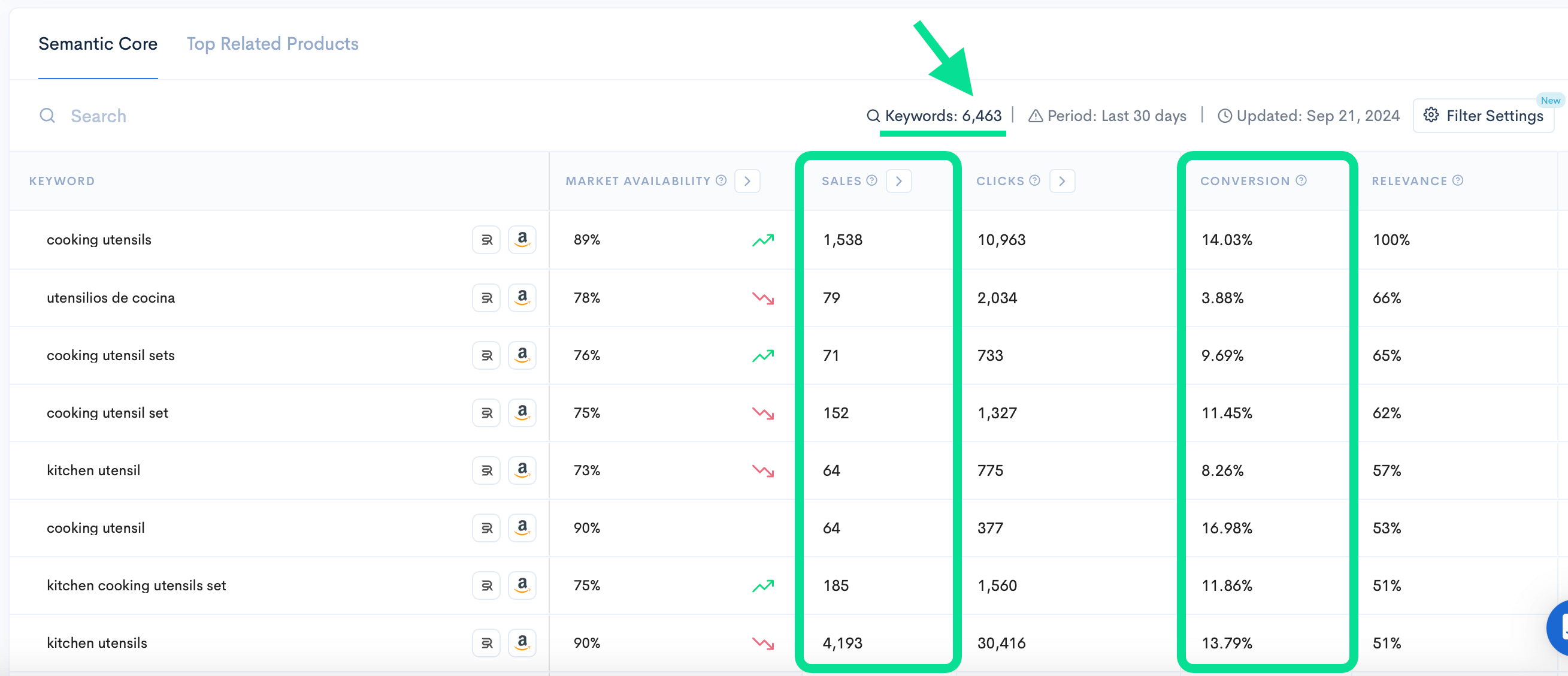
Keyword Hunter shows you all keywords with the highest customer interaction rate, competition level, and more; so you can find the best possible keywords for your Amazon product listing.
Keyword search results in Keyword Hunter Pro, displaying keywords, sales, clicks, and conversion rates for ‘cooking utensils’.

Most sellers narrow this down to 20-30 core keywords that represent the highest opportunity for ranking and conversion.

This keyword list becomes the foundation of your listing.
ChatGPT should never be asked to decide this for you.

Step 2: Use ChatGPT as an execution tool

Once your keyword list is ready, ChatGPT becomes extremely useful.

Instead of asking it to “create a listing,” you guide it with specific inputs:

  • Your target keywords
  • Your product details
  • Your structure requirements
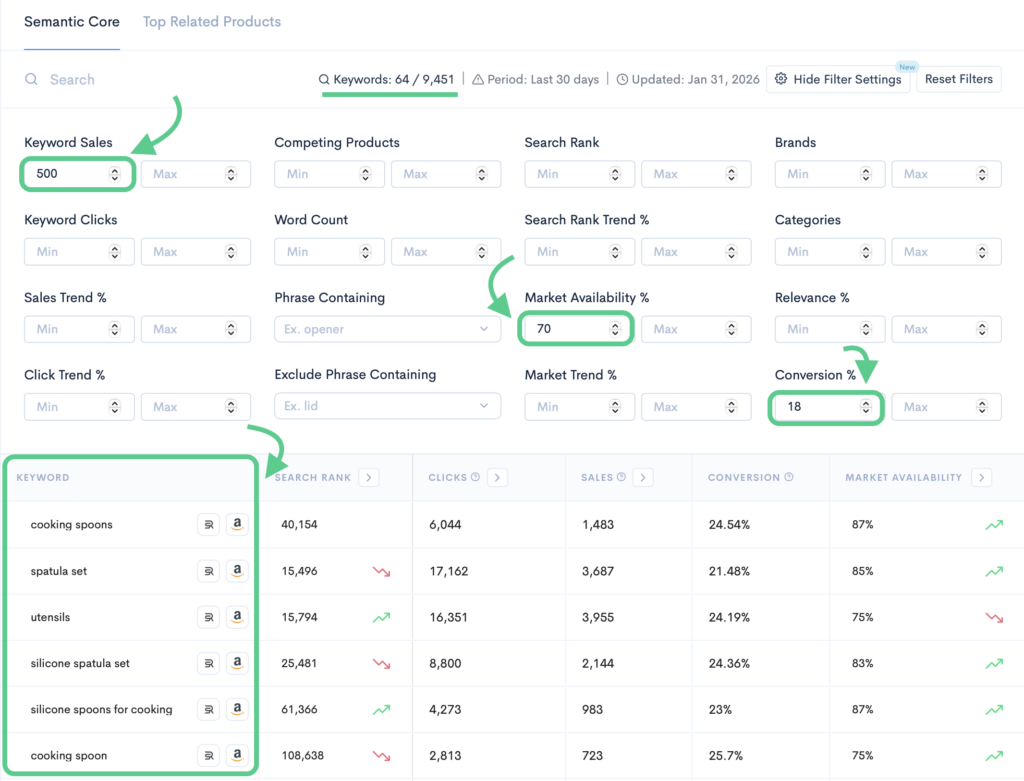
To find sales-making keywords for your product listing:
2. Enter main seed keyword
3. Set filters and hit ‘Apply filters’
4. Get the list of the best keywords

At this stage, AI helps with:

  • Structuring the title, bullets, and description
  • Improving readability
  • Naturally placing keywords without stuffing
  • Generating multiple variations faster

ChatGPT is no longer guessing, it’s executing your strategy.

Step 3: Don’t let AI make strategic decisions

AI works best when it supports execution, not decision-making.

It should not decide:

  • Which keywords matter most
  • What claims are safe to make
  • How your product should be positioned

Those decisions require Amazon experience, keyword data, and policy awareness.

Think of ChatGPT as a writing assistant, not your Amazon SEO manager.

Step 4: Always double-check Amazon listing rules

One critical step many sellers skip: compliance.

ChatGPT does not stay updated on Amazon’s latest listing policies. It can easily generate:

  • Restricted claims
  • Prohibited wording
  • Formatting issues

Even a small violation can lead to:

  • Suppressed listings
  • Lost rankings
  • Account risk

All current listing rules live inside Amazon Seller Central.

Sellers can find them here:

  • Help → Policies & Agreements
  • Help → Product listing guidelines
  • Help → Restricted products
  • Help → Style guides (category-specific)

Before publishing, always review Amazon’s listing rules manually.

Ready-to-copy ChatGPT prompts for Amazon sellers

Use these prompts only after you’ve done keyword research.

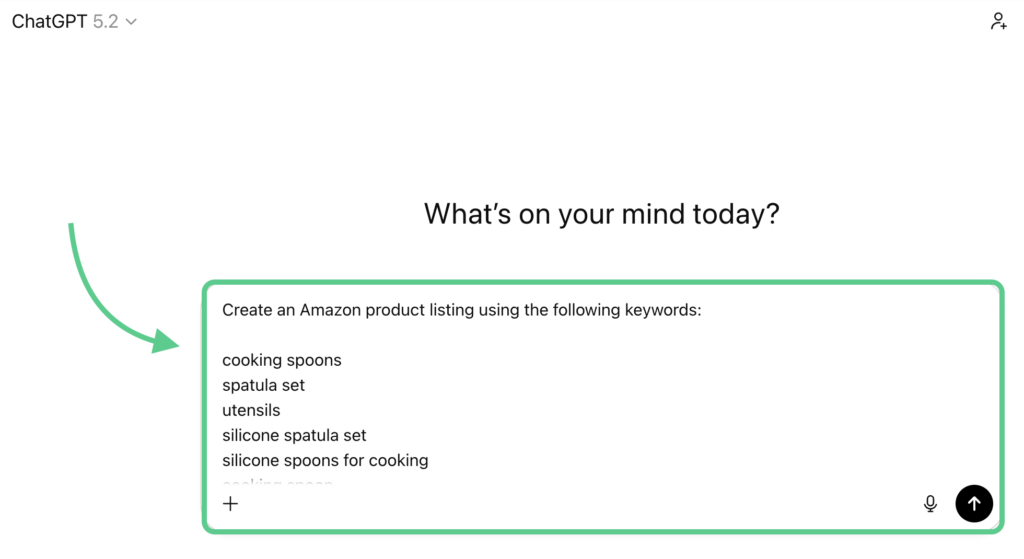
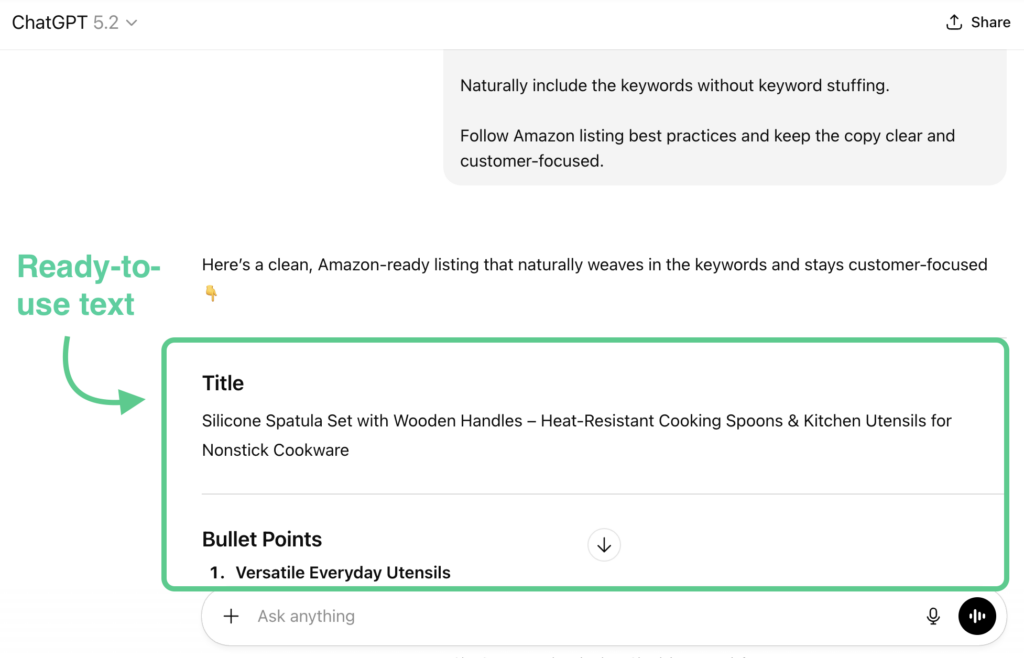
Prompt 1: Amazon listing creation (keyword-driven)

Create an Amazon product listing using the following keywords:

[keyword list]

Structure the output into:

– Title

– 5 bullet points

– Product description

Naturally include the keywords without keyword stuffing.

Follow Amazon listing best practices and keep the copy clear and customer-focused.

Prompt 2: Bullet point optimization

Rewrite these Amazon bullet points using the following keywords:

[keyword list]

Improve clarity and readability while keeping the bullets compliant with Amazon rules.

Do not add unsupported claims.

Prompt 3: Title variations for testing

Generate 5 Amazon title variations using the following keywords:

[keyword list]

Keep titles readable, compliant, and optimized for ranking.

Avoid keyword stuffing and unnecessary capitalization.

Prompt 4: Keyword placement validation

Analyze this Amazon listing and confirm whether the following keywords are placed naturally and effectively:

[keyword list]

Suggest improvements without changing the product meaning or adding claims.

Final takeaway

ChatGPT can save Amazon sellers a lot of time, but only when used correctly.

The right workflow looks like this:

  1. Keyword research first
  2. Select 20-30 proven keywords
  3. Use ChatGPT to structure the listing
  4. Double-check Amazon rules
  5. Publish with confidence

AI doesn’t replace Amazon SEO. It amplifies it when the data comes first.

Sellerise Team, Contributor

Ready to scale your Amazon business?

Free 7 days trial. No Credit Card Required.