How to Do Competitor Analysis on Amazon: A Step-by-Step Guide for Sellers

Sellerise Team, Contributor

8 min read -

Updated:

Competitor analysis on Amazon is one of the most important parts of selling.

Before you launch a product, improve a listing, change your price, or increase ad spend, you need to understand what your competitors are doing and why customers choose them.

The goal is not just to ‘spy’ on competitors.

The goal is to answer simple but important questions:

  • Who is actually winning in your niche?
  • What makes their product easier to buy?
  • Where are they getting sales from?
  • What are customers complaining about?
  • What can you do better?

Here’s a simple step-by-step process you can follow.


Step 1: Choose the product or niche you want to analyze

Start with one clear product idea or niche.

For example:

  • bamboo drawer organizers
  • travel makeup bags
  • dog grooming gloves
  • baby bath towels
  • resistance bands

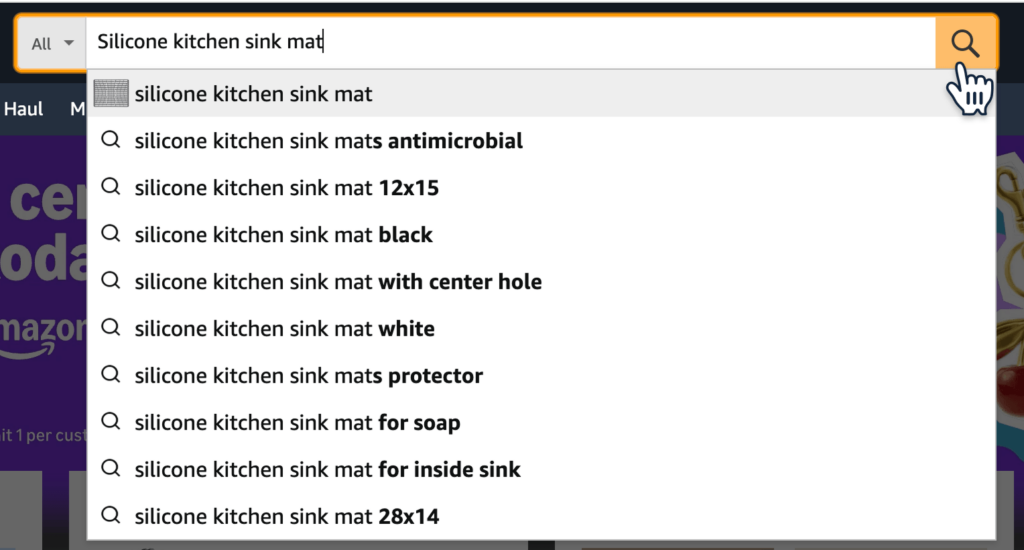
Try not to analyze a category that is too broad. ‘Kitchen products’ is too general. ‘Silicone kitchen sink mat’ is much easier to research on Amazon.

Open Amazon and search for the main keyword your customer would probably use.

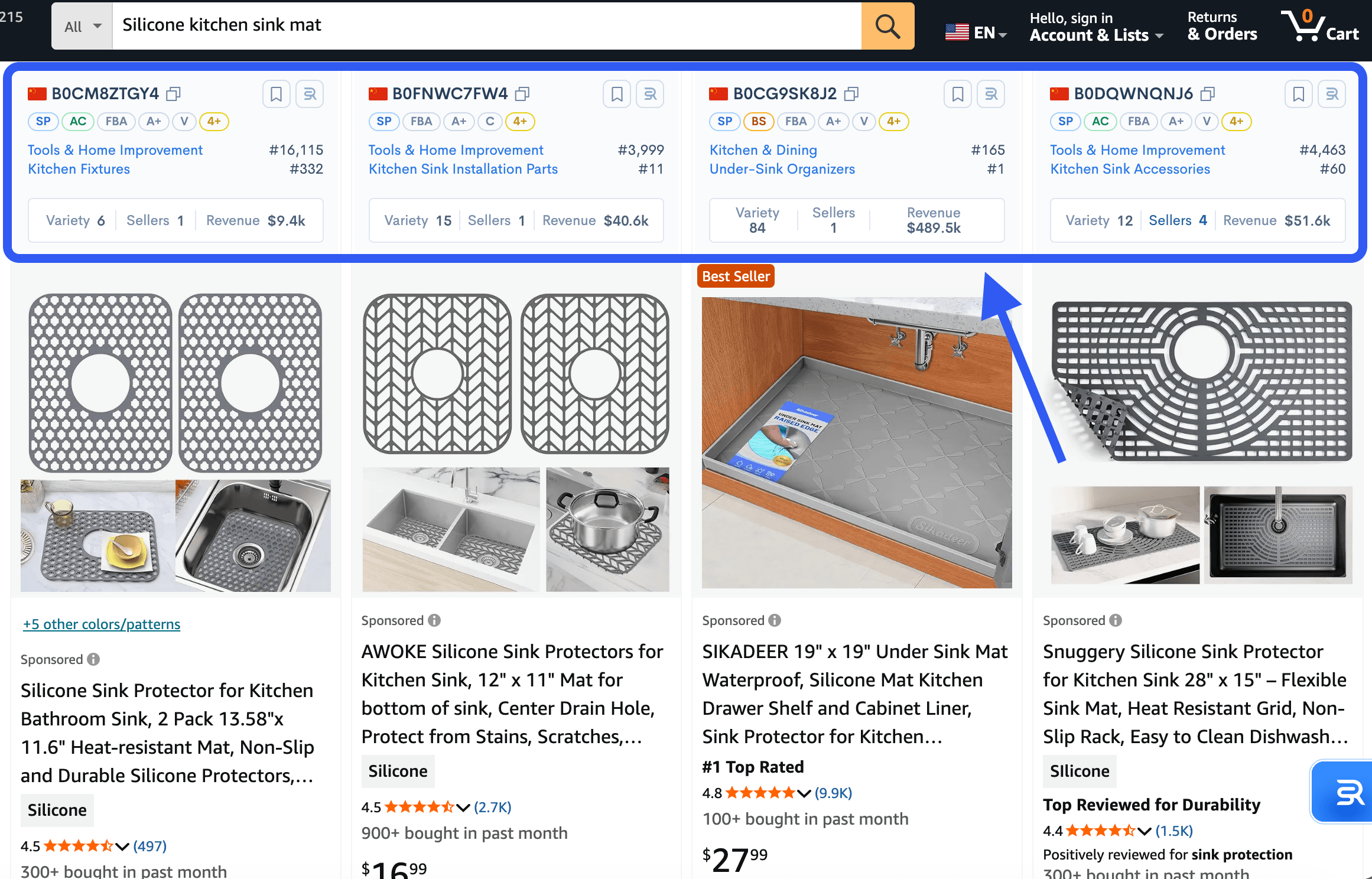
Then look at the Amazon first page of results. These are usually the competitors customers see first.


Step 2: Pick 5-10 direct Amazon competitors

Not every product on the search results page is a direct competitor.

Choose products that are similar to yours in:

  • product type
  • price range
  • size or format
  • target customer
  • main use case

For example, if you want to sell a premium bamboo drawer organizer, do not compare it only with cheap plastic organizers. They may be in the same category, but they are probably not targeting the same buyer.

Create a simple list of 5-10 competitors for the analysis.

Include:

  • product title
  • ASIN
  • price
  • review count
  • rating
  • main image
  • key product angle

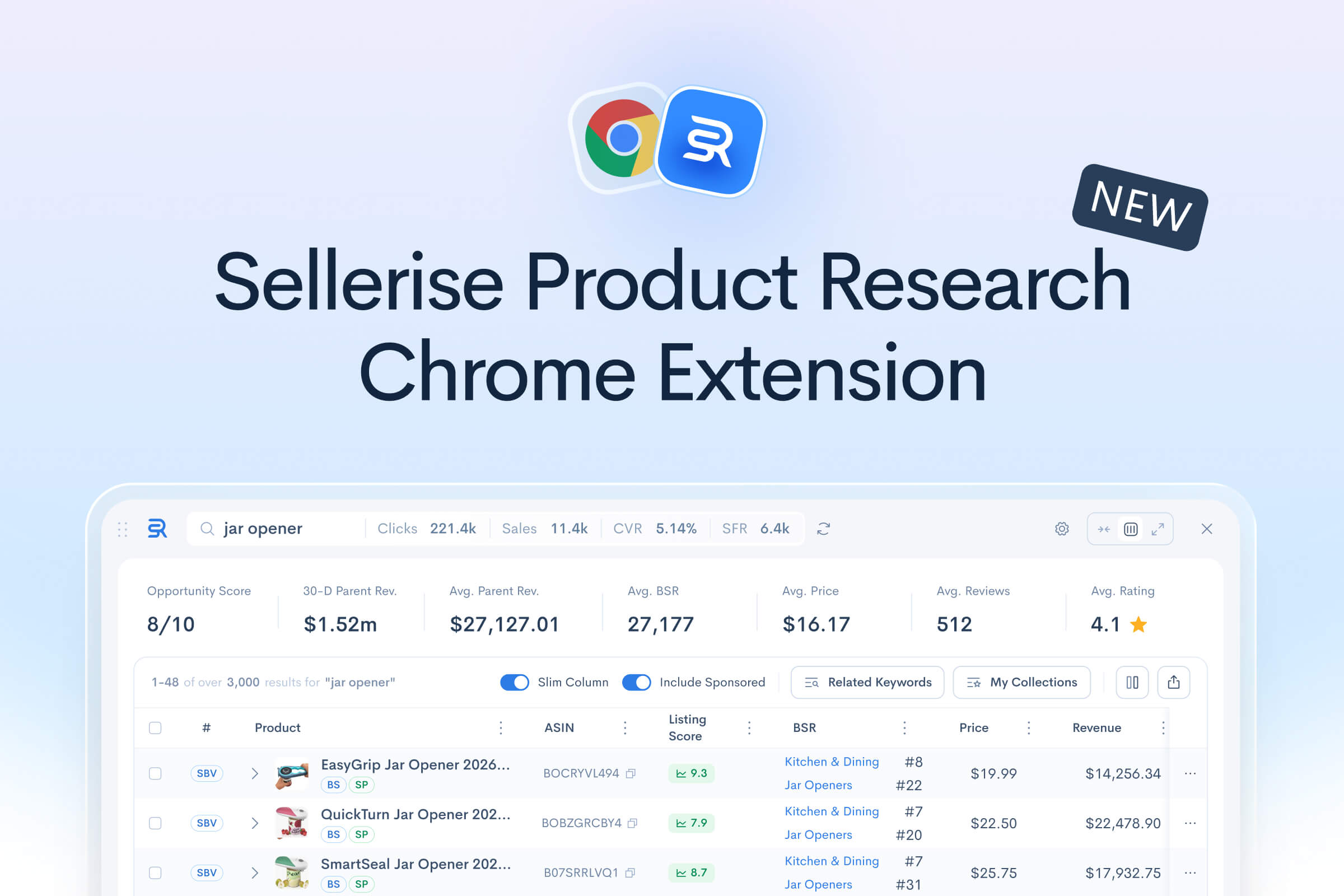
You can do this manually, or use Sellerise Chrome Extension to speed it up.

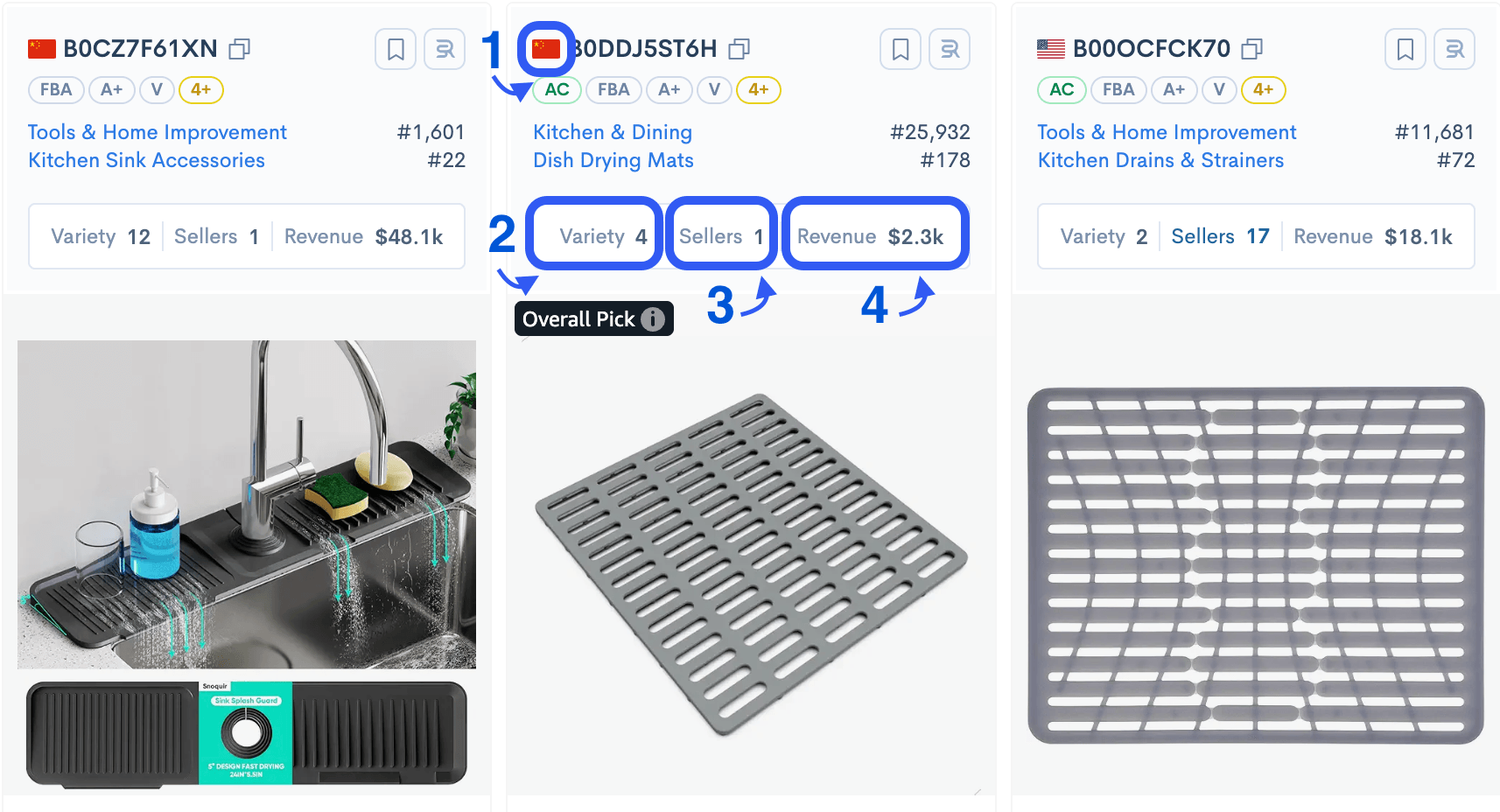
Go to Amazon, open the product research extension, and review the key data directly on the page: estimated sales, revenue, price, rating, reviews, Buy Box holder, FBA fees, listing score, and other useful competitor details.


Step 3: Check if competitors are actually selling

An Amazon product can look strong because it has a nice image, many reviews, or a polished listing.

But the real question is: does it sell?

Look at:

  • estimated monthly sales
  • estimated monthly revenue
  • Best Sellers Rank
  • price stability
  • sales history

Use Sellerise product research Chrome extension to check sales and revenue estimates directly on Amazon. This helps you understand if the niche has real demand or if only a few products are getting most of the sales.

Pay attention to the gap between competitors.

For example:

  • If most Amazon products are selling well, the niche may have strong demand.
  • If only one or two products get most of the sales, it may be harder to enter.
  • If sales are low across the whole page, the niche may not be worth your time.

You do not need perfect numbers at this stage. You need direction.


Step 4: Compare pricing and positioning

Next, look at how competitors are priced.

Write down:

  • lowest price
  • average price
  • highest price
  • products with coupons
  • products with discounts
  • products with bundles

Then ask:

  • Are customers choosing the cheapest option?
  • Are premium products selling well too?
  • Is there space for a better product at a higher price?
  • Are competitors using coupons to stay competitive?

Price alone does not explain everything.

An Amazon product may sell at a higher price because it has better photos, stronger reviews, better packaging, more pieces in the bundle, or a clearer value proposition.

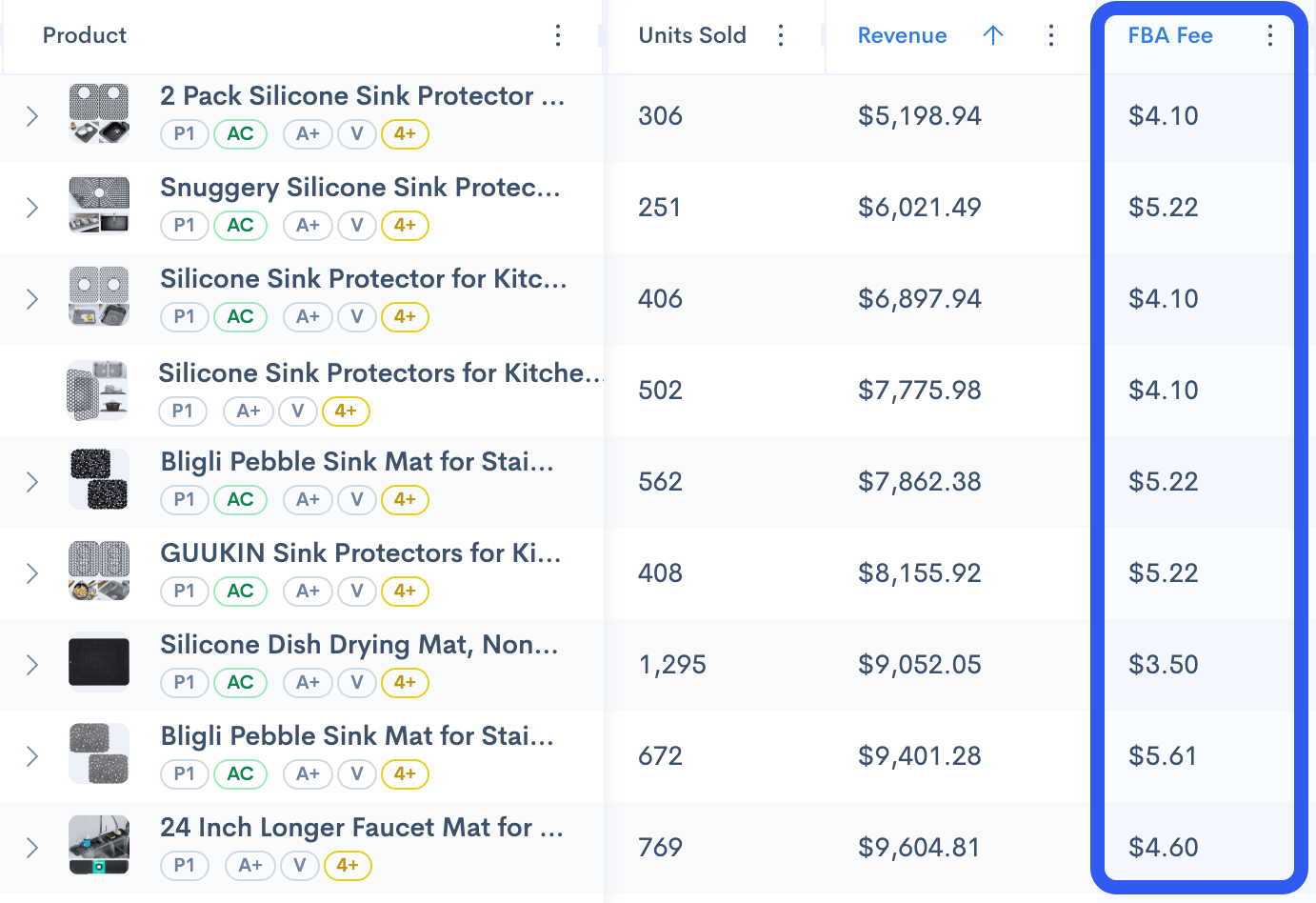
Use Sellerise to check FBA fees and basic profitability signals. A competitor on Amazon may have strong revenue, but if the product is large, heavy, or expensive to fulfill, the margin may be much lower than it looks.


Step 5: Analyze reviews to find customer pain points

Reviews are one of the best sources of competitor research.

Open Amazon competitor listings and read both positive and negative reviews.

Look for patterns.

Positive reviews tell you what customers value:

  • easy to use
  • good quality
  • nice packaging
  • perfect size
  • works as expected
  • good gift idea

Negative reviews show you where competitors fail:

  • breaks easily
  • smaller than expected
  • bad smell
  • poor instructions
  • wrong color
  • cheap material
  • difficult to assemble
  • missing parts

Do not focus on one random complaint. Look for repeated problems.

If many customers complain about the same thing, that may be your opportunity.

For example:

  • If customers say the product is too small, offer a larger size.
  • If they say instructions are unclear, create better instructions.
  • If they say the material feels cheap, improve the material.
  • If they say the product arrives damaged, improve packaging.

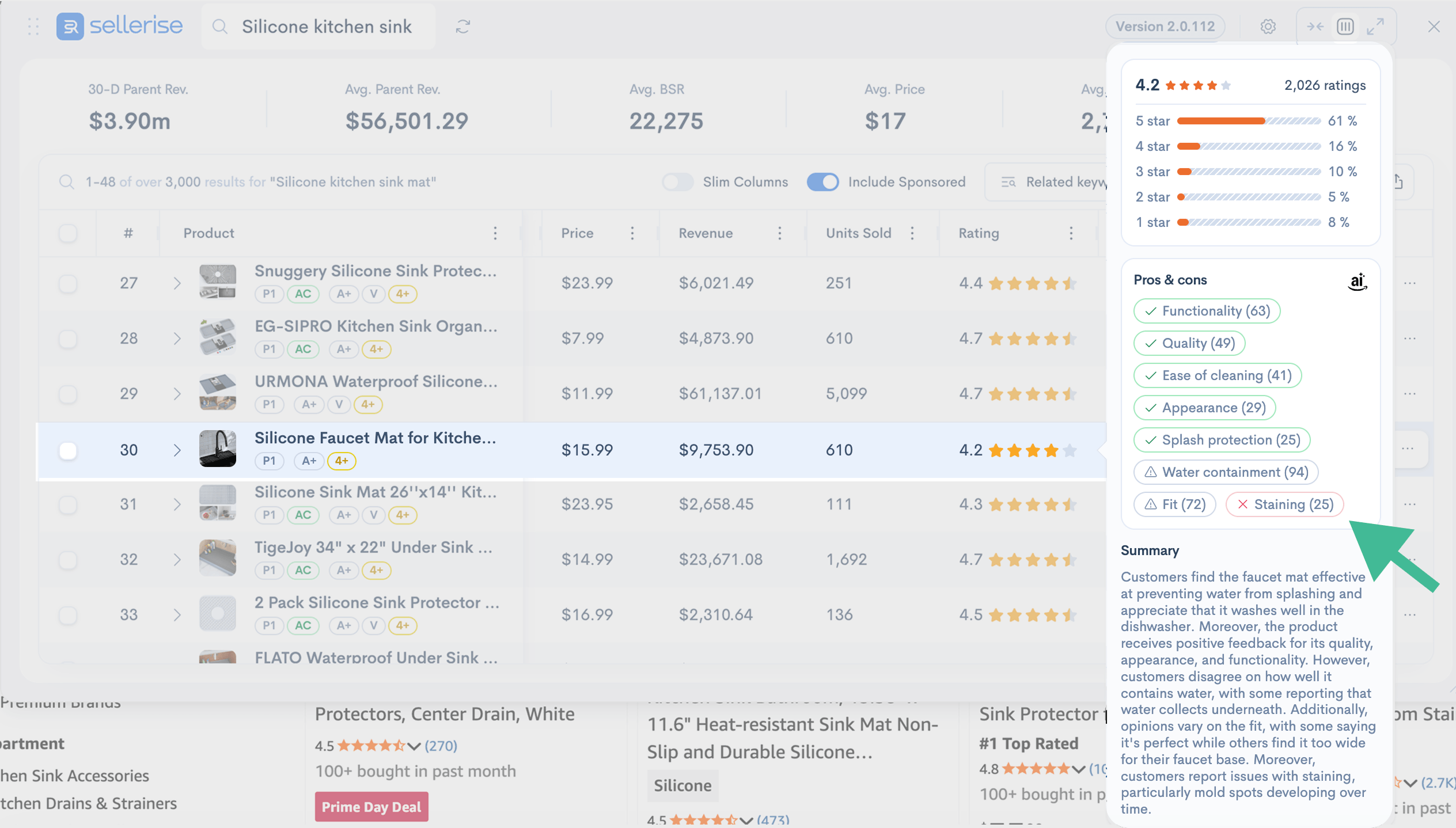
Use the review summary in Sellerise Chrome Extension to quickly understand common customer feedback without reading hundreds of reviews manually.


Step 6: Review competitor listings

Now look at how competitors present their products.

Check these parts:

  • main image
  • secondary images
  • title
  • bullet points
  • A+ Content
  • video
  • product description
  • variation structure

Ask yourself:

  • Is the main image clear?
  • Does the listing explain the product quickly?
  • Are the benefits easy to understand?
  • Do the images show size, use cases, and key features?
  • Are there comparison charts?
  • Are they answering common customer questions?
  • Does the product look trustworthy?

A competitor may be selling well not because the product is better, but because the listing explains the value better.

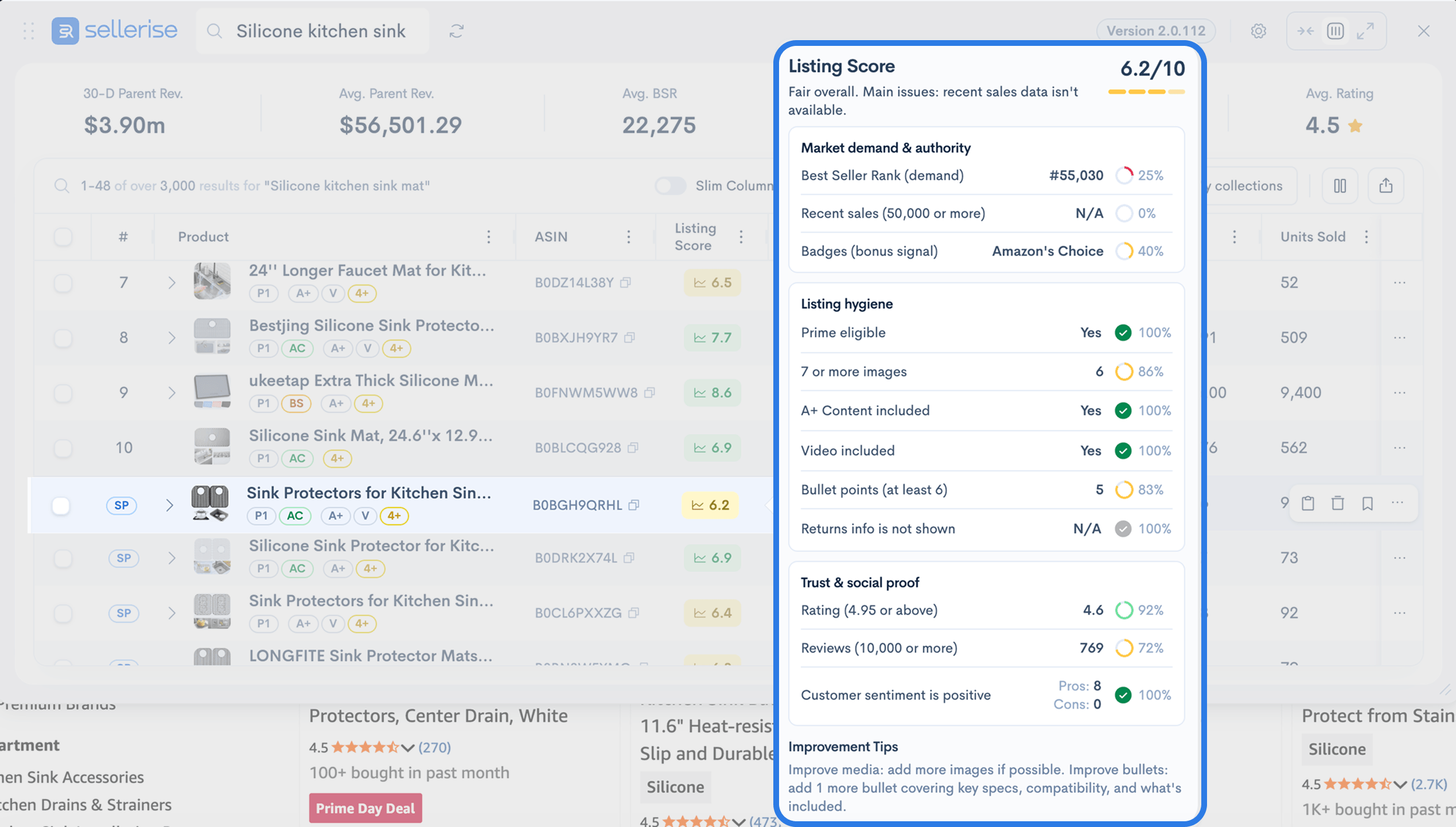
Use Sellerise Listing Score to quickly compare listing quality across competitors. Then open the strongest and weakest listings manually to understand what they do differently.

Look for simple gaps you can improve:

  • better lifestyle images
  • clearer size chart
  • stronger main image
  • more specific bullets
  • better keyword use
  • comparison image
  • better explanation of materials
  • stronger FAQ section


Step 7: Check keyword visibility

Competitor analysis is not only about the product page.

You also need to understand how competitors get traffic.

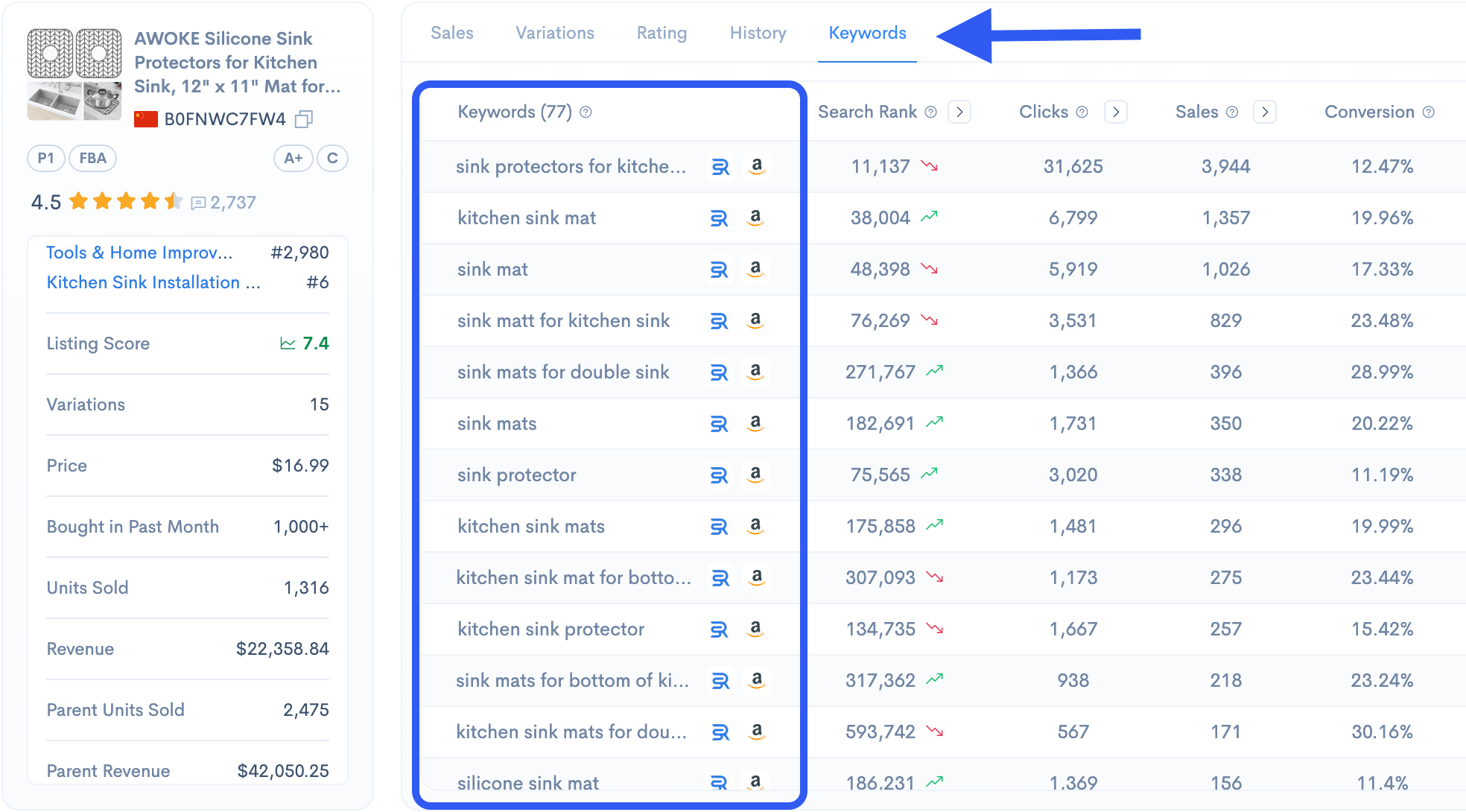
Look at the keywords they rank for and where they appear in search results.

Important questions:

  • What keywords are competitors ranking for?
  • Are they visible for broad keywords or only long-tail keywords?
  • Which keywords seem to drive the most traffic?
  • Are they using keywords in titles and bullets?
  • Are they ranking organically, or do they rely heavily on sponsored ads?

Use Sellerise keyword tools or the extension to review keyword positions and discover which search terms matter most in the niche.

This helps you understand what your listing needs to target.

For example, a competitor may sell a ‘travel makeup bag,’ but their traffic may come from more specific keywords like:

  • makeup bag for purse
  • cosmetic bag travel
  • toiletry bag for women
  • small makeup organizer
  • waterproof makeup bag

These details can change how you write your listing and build your PPC strategy.


Step 8: Check product history and trends

A competitor may look strong today, but that does not mean they are stable.

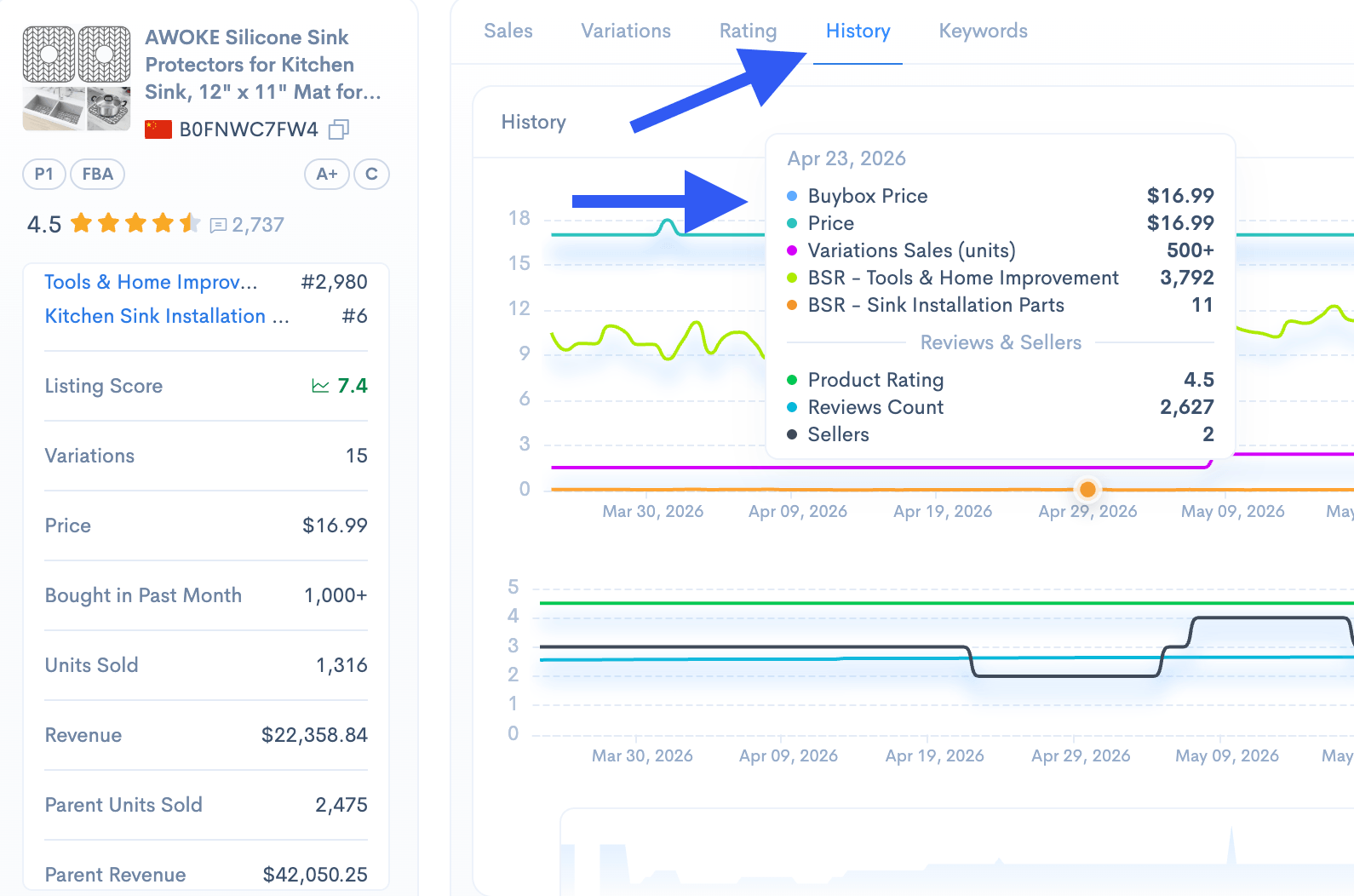
Check historical data when possible.

Look at:

  • sales history
  • price history
  • BSR history
  • rating history
  • review growth
  • Buy Box changes
  • variation changes

Use Sellerise Product History to see how competitor products changed over time.

This helps you avoid wrong conclusions.

For example:

  • A product may have high sales because it recently ran a big discount.
  • A product may have poor BSR now because the season is over.
  • A product may have gained sales after adding a new variation.
  • A competitor may have lost momentum after stock issues or bad reviews.

History gives you context.

Without it, you are only looking at one moment in time.


Step 9: Study product variations

Variations can tell you a lot about customer preferences.

Look at competitor variations:

  • color
  • size
  • pack count
  • material
  • style
  • flavor
  • quantity

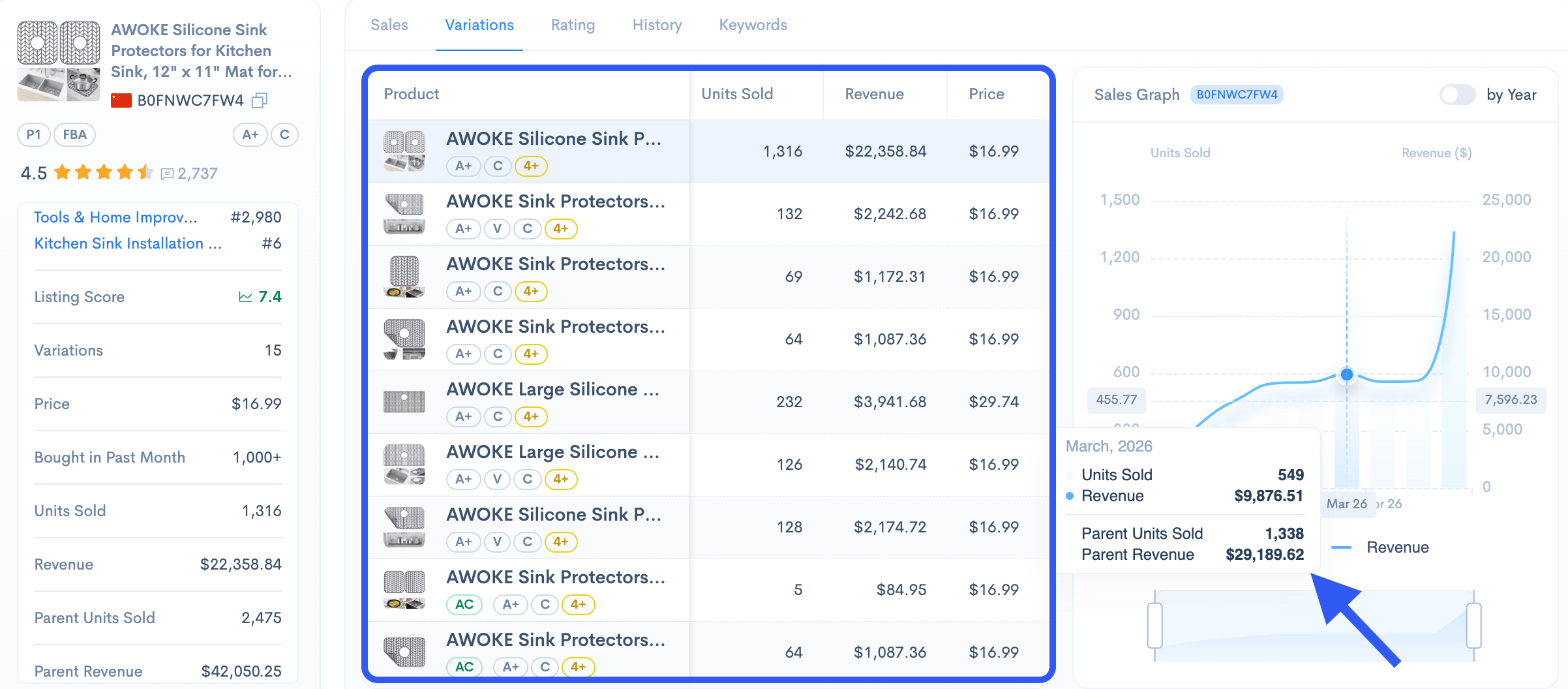
Check which variation appears to sell best.

For example, if a competitor sells a product in 5 colors, but most reviews mention only black and beige, those may be the strongest options.

If most competitors sell single packs but customers often buy multiples, a 2-pack or 3-pack may be a good opportunity.

Use Sellerise to review variation data and product history where available. This can help you see how competitors expand or adjust their offers over time.


Step 10: Analyze reviews vs sales

Review count matters, but it does not always tell the full story.

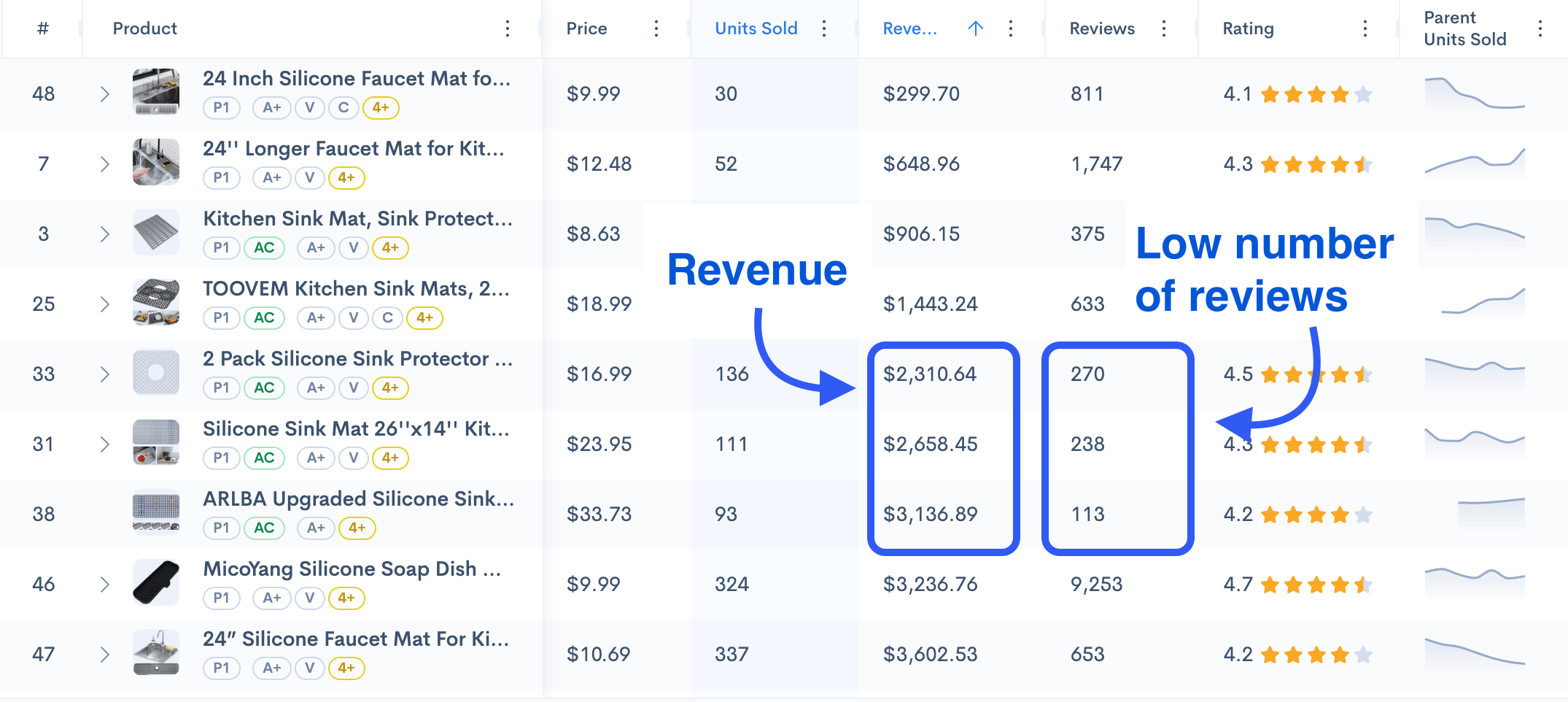
Some products have thousands of reviews but slow sales. Others have fewer reviews but strong recent sales.

Compare:

  • review count
  • rating
  • recent review activity
  • estimated sales
  • listing quality
  • price

This helps you understand if a market is too difficult to enter.

For example:

A niche where all top sellers have 10,000+ reviews may be hard for a new seller.

But if newer products with 200–500 reviews are also getting sales, there may still be room to compete.

Look for products that are growing despite having fewer reviews. They often show what customers currently want.


Step 11: Check seller type and fulfillment

Look at who is selling the product.

Check:

  • Is it sold by Amazon?
  • Is it sold by a private label brand?
  • Is it FBA or FBM?
  • Is the Buy Box stable?
  • Are there multiple sellers on the listing?
  • Is the seller based in the US or another country?

This matters because it affects how easy or difficult it may be to compete.

For example:

  • If Amazon sells the product directly, competing may be harder.
  • If many sellers are fighting for the Buy Box, pricing may be unstable.
  • If most competitors use FBA, customers may expect Prime delivery.
  • If listings have multiple sellers, there may be wholesale or arbitrage competition.

Use Sellerise to check Buy Box holder, fulfillment type, seller information, and related product details faster while browsing Amazon.

Step 12: Estimate profitability

Strong sales do not always mean strong profit.

Before choosing a product, estimate your costs.

Include:

  • product cost
  • shipping
  • Amazon referral fee
  • FBA fee
  • storage fees
  • PPC cost
  • returns
  • packaging
  • prep costs
  • discounts or coupons

Use Sellerise to check FBA fees and profit-related data. Then calculate whether the product can still make sense after ads and other costs.

A simple rule: do not judge a niche by revenue only.

A product with $80,000 monthly revenue may still be weak if costs are too high.

A product with lower revenue may be better if it has stronger margins, lower competition, and easier logistics.


Step 13: Find your competitor gap

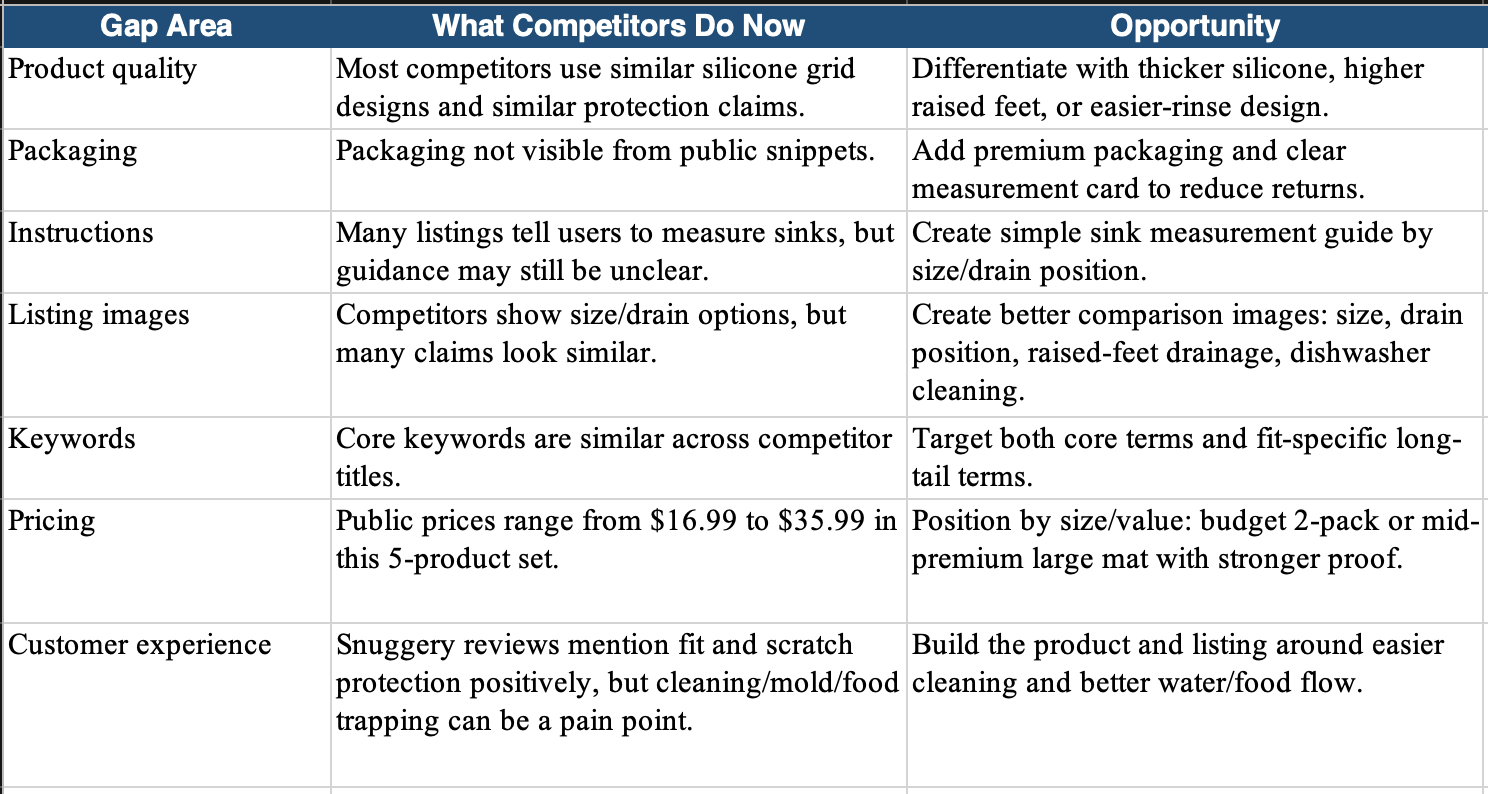
After researching competitors, summarize what you found.

Look for gaps in:

  • product quality
  • size
  • packaging
  • instructions
  • design
  • bundle options
  • material
  • listing content
  • images
  • keywords
  • price
  • customer experience

Your goal is to find a clear reason why someone would choose your product instead of the current options.

Examples:

  • better material
  • clearer instructions
  • stronger packaging
  • more useful bundle
  • better size
  • improved design
  • better listing images
  • more specific keyword targeting
  • better value for the price

Do not enter a niche just because competitors are selling.

Enter only if you see a realistic way to compete.

Step 14: Turn your research into an action plan

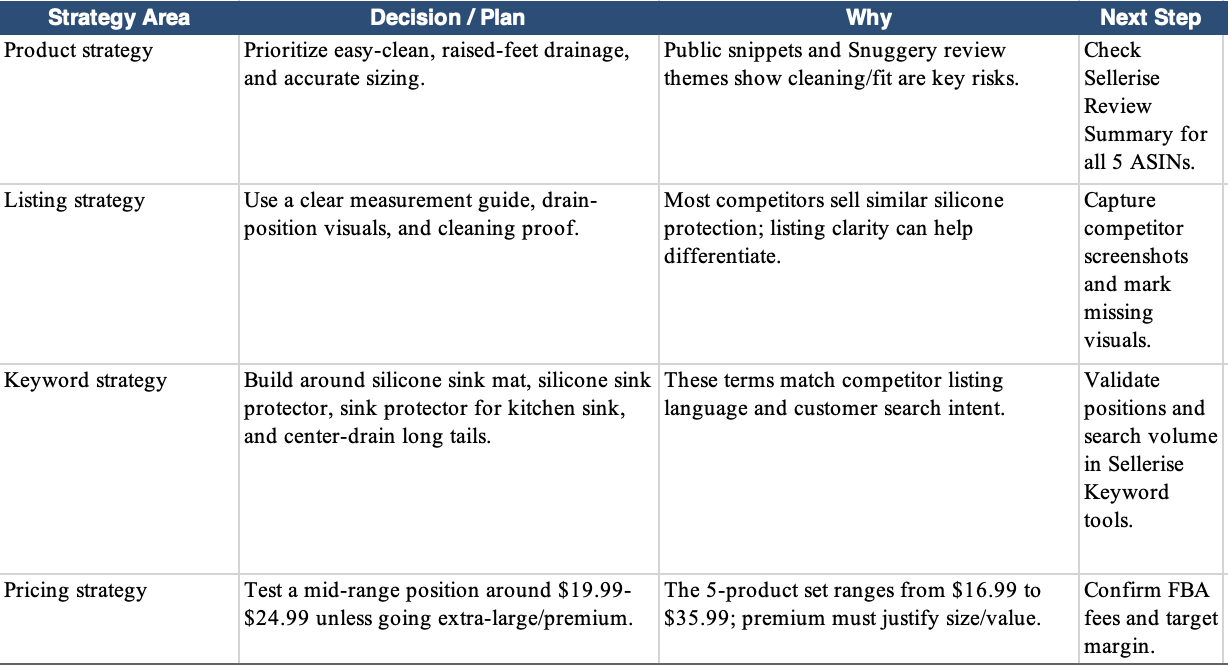
Once you finish the analysis, create a short action plan.

Include:


Product improvement

What will your product do better?

Example:

‘Competitors often receive complaints about weak zippers. We will use a stronger zipper and show it clearly in the product images.’


Listing strategy

What should your listing highlight?

Example:

‘Customers care about size and travel use. We will show dimensions, packing examples, and a lifestyle image inside a suitcase.’


Keyword strategy

What keywords should you target?

Example:

‘Main keyword: travel makeup bag. Secondary keywords: cosmetic bag travel, makeup organizer for purse, toiletry bag for women.’


Pricing strategy

Where will your product fit?

Example:

‘Competitors sell between $14.99 and $24.99. We will position at $19.99 with better materials and a clearer bundle.’


PPC strategy

Where should ads start?

Example:

‘Start with exact campaigns for the top converting keywords and test competitor ASIN targeting against weaker listings.’

Simple competitor analysis checklist

Use this checklist every time you analyze a product or niche:

  • Choose one clear niche or product idea
  • Search the main keyword on Amazon
  • Pick 5-10 direct competitors
  • Check estimated sales and revenue
  • Compare pricing and coupons
  • Read positive and negative reviews
  • Identify repeated customer complaints
  • Review images, title, bullets, and A+ Content
  • Check keyword visibility
  • Review product history
  • Analyze variations
  • Check Buy Box and fulfillment type
  • Estimate profitability
  • Find the main competitor gap
  • Build your action plan


Final thoughts

Competitor analysis helps you make better decisions before you spend money on inventory, ads, or listing creation.

Use Amazon for manual research, use Sellerise to check the data faster, and combine both to make a smarter decision.

Good competitor analysis does not guarantee success, but it helps you avoid weak products, understand the market, and build a stronger strategy from the beginning.

Sellerise Team, Contributor

Ready to scale your Amazon business?

Free 7 days trial. No Credit Card Required.