How to Check Product Revenue on Amazon
Sellerise Team, Contributor
5 min read -
Updated:The fastest way to check product revenue is to analyze the product directly on Amazon while you browse. Instead of manually switching between Amazon, spreadsheets, and different research tools, you can use the Sellerise Product Research Chrome Extension to see estimated revenue and other important product metrics on the same page.
Here’s how to do it step by step.
Step 1: Go to the Sellerise Chrome Extension
First, install the Sellerise Product Research Chrome Extension. Once it’s added to your browser, open Amazon and search for a product, niche, or keyword you want to analyze.
For example, you can search for:
- “insulated water bottle”
- “baby organizer”
- “kitchen storage”
- “yoga mat”
- “dog travel bag”
The goal is to open a real Amazon search results page where you can compare multiple products in the same niche.
Step 2: Search for a Product on Amazon
Type your product idea into the Amazon search bar and review the search results.

At this stage, don’t focus only on the first product you see. Look at the whole niche. A strong opportunity usually has several products generating revenue, not just one best seller.
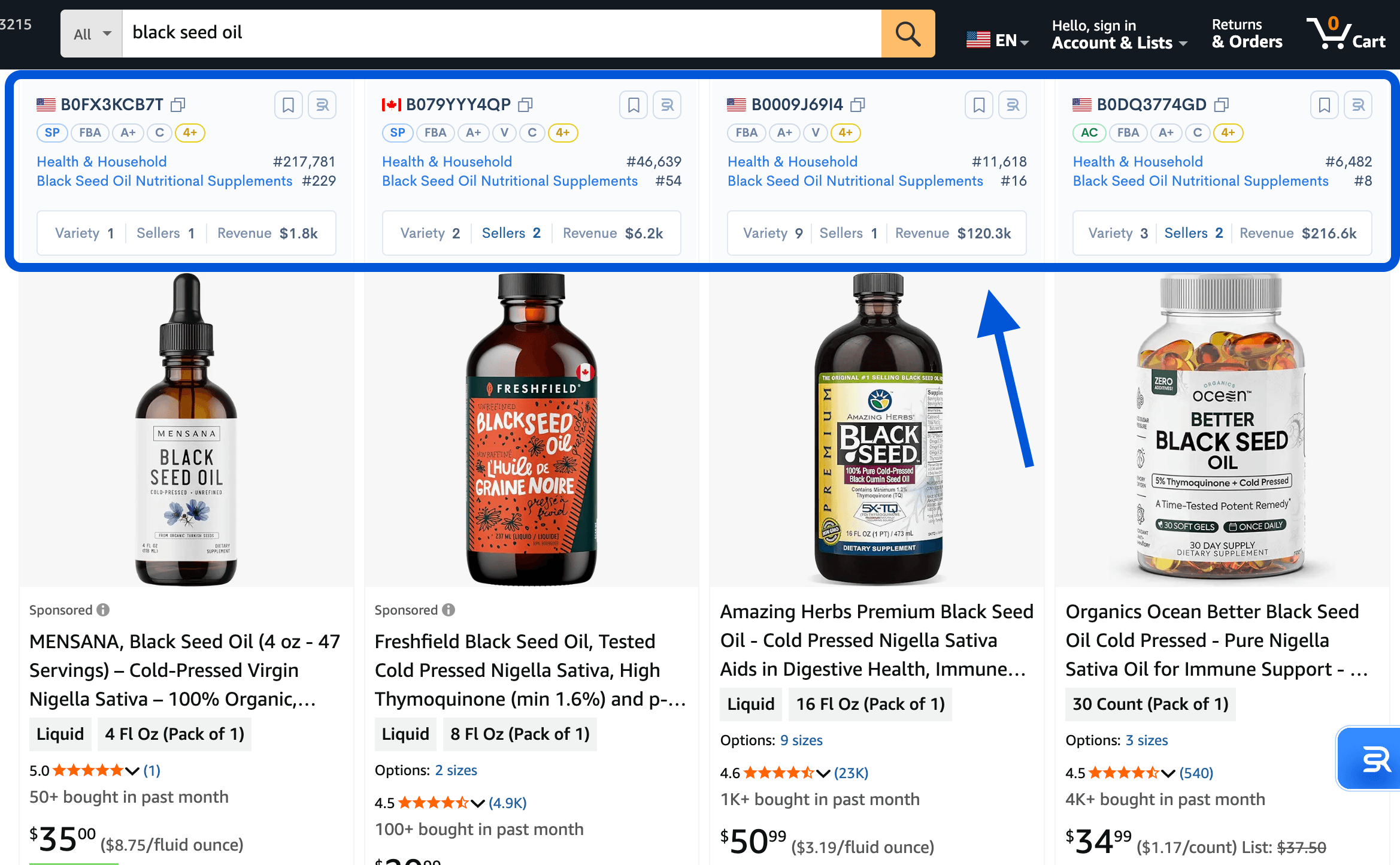
Sellerise helps by showing product research data directly on Amazon, so you can quickly compare products without opening every listing manually.
Step 3: Check Estimated Monthly Revenue
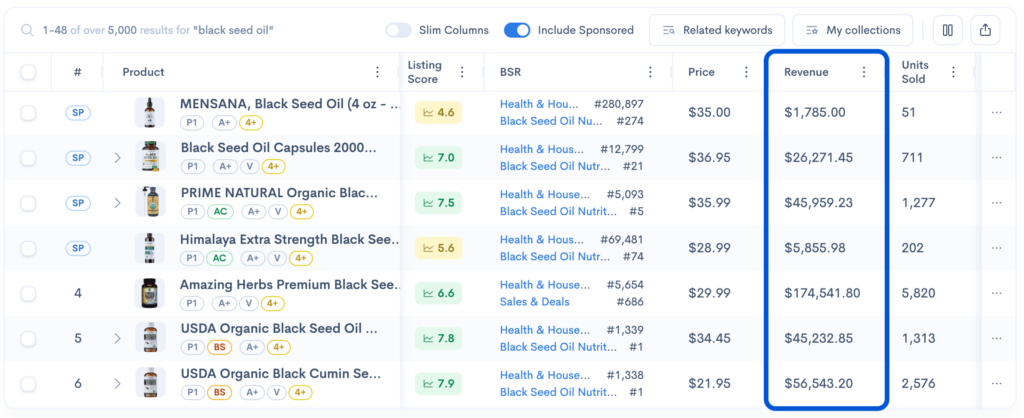
In the Sellerise extension, look for the product’s estimated revenue.
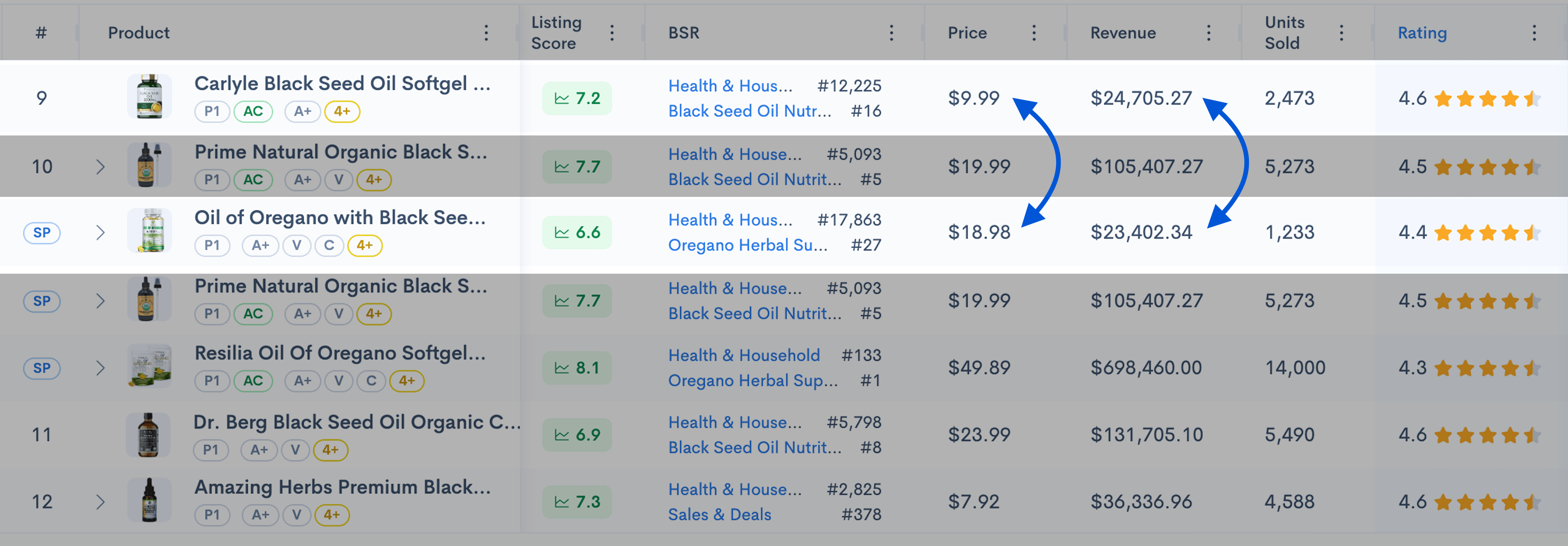
This number helps you understand how much money a product may be generating. For example, if a product has an estimated monthly revenue of $120,300, it means there is active demand and customers are buying this type of product.
But don’t use revenue alone to judge the opportunity.
A high-revenue product may also have:
- Strong competition
- Thousands of reviews
- Low margins
- Expensive PPC
- Difficult sourcing
- High return rates

That’s why revenue should be your starting point, not your final decision.
Step 4: Compare Revenue Across Multiple Products
Next, compare estimated revenue across several products in the search results.
This helps you understand whether the niche has broad demand or whether one product controls most of the sales.
For example:
Product | Estimated Monthly Revenue | What It May Indicate |
Product A | $60,000 | Strong demand, but possibly competitive |
Product B | $28,000 | Good demand with possible room to compete |
Product C | $12,000 | Lower demand, but may still be useful for niche validation |
Product D | $3,000 | Weak demand or less relevant product |

If only one product has strong revenue and the rest are very low, the niche may be harder to enter.
If multiple products show healthy revenue, that usually means demand is spread across the market.
Step 5: Check Sales Volume and Price Together
Revenue is based on price and estimated sales volume.
A product may have high revenue because it sells many units at a low price, or because it sells fewer units at a higher price.
For example:
- Product A sells 2,000 units at $10 = $20,000 revenue
- Product B sells 500 units at $40 = $20,000 revenue
Both products generate the same revenue, but they may require very different strategies.
The first product may need more inventory and more operational control. The second product may have higher margins, but fewer total sales.
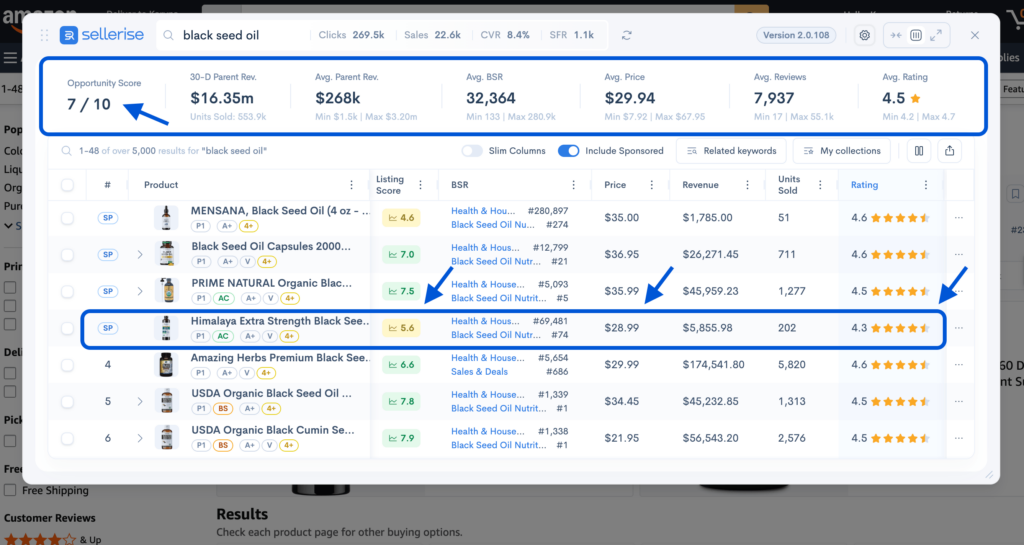
Use Sellerise to review revenue together with price, estimated sales, reviews, and other product signals.
Step 6: Check Review Count and Competition
After checking revenue, look at the number of reviews.
This helps you understand how difficult it may be to compete.
A product with $40,000 in monthly revenue and 15,000 reviews may be much harder to beat than a product with $25,000 in revenue and 500 reviews.
When using the Sellerise extension, look for products that have:
- Good estimated revenue
- Moderate review count
- Stable pricing
- Clear demand
- Listing weaknesses
- Room for product improvement
These products may be more realistic opportunities than the biggest best sellers in the niche.
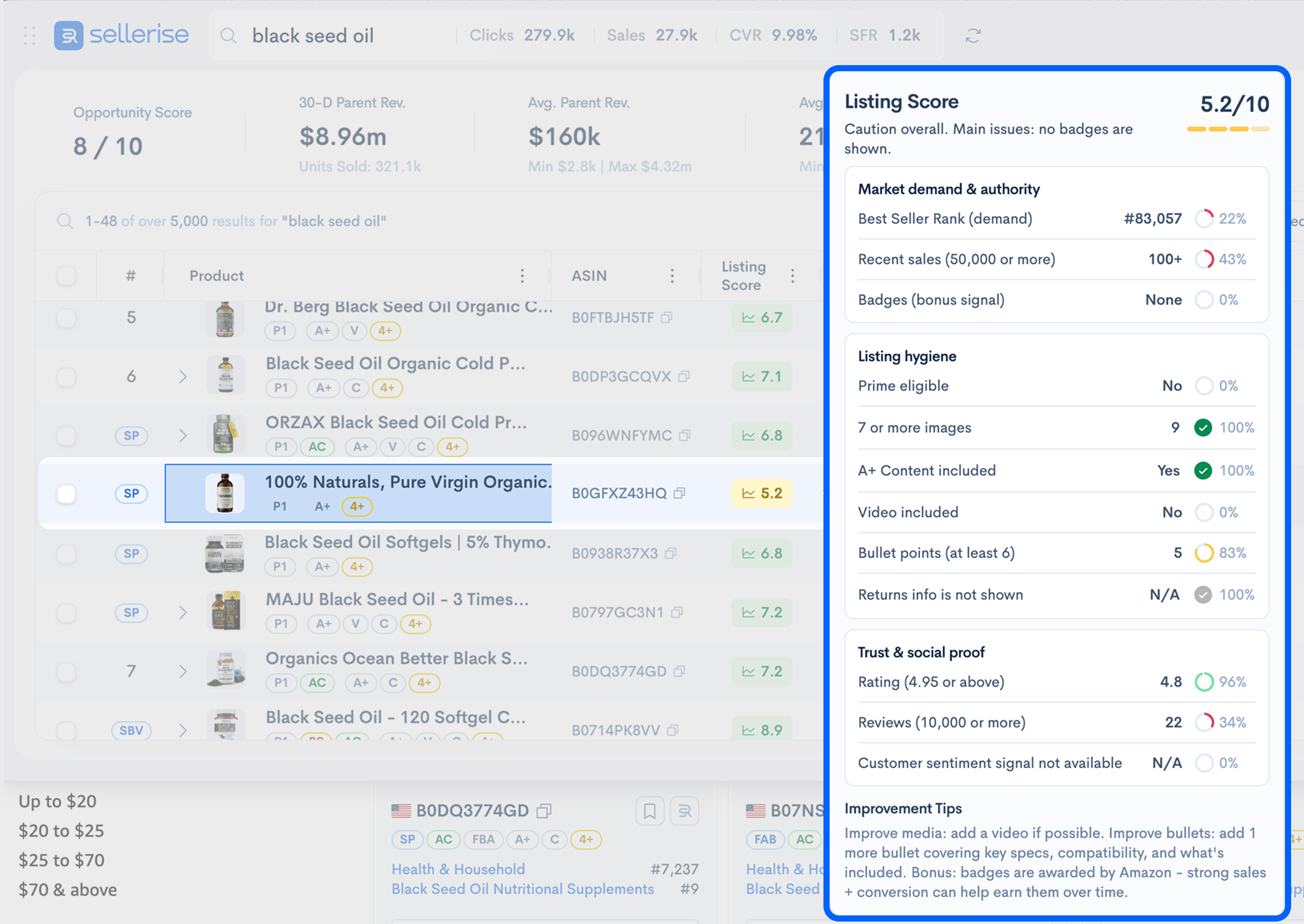
Step 7: Review Listing Quality
Revenue tells you whether the product is making money. Listing quality helps you understand why.
With Sellerise, you can also review listing-related signals, such as images, content quality, reviews, and other factors that may affect conversion.
This is important because sometimes a product generates strong revenue even with a weak listing. That can be a sign of strong demand and potential opportunity.
For example, if a product has solid revenue but poor images, weak bullet points, or repeated complaints in reviews, you may be able to create a better offer.
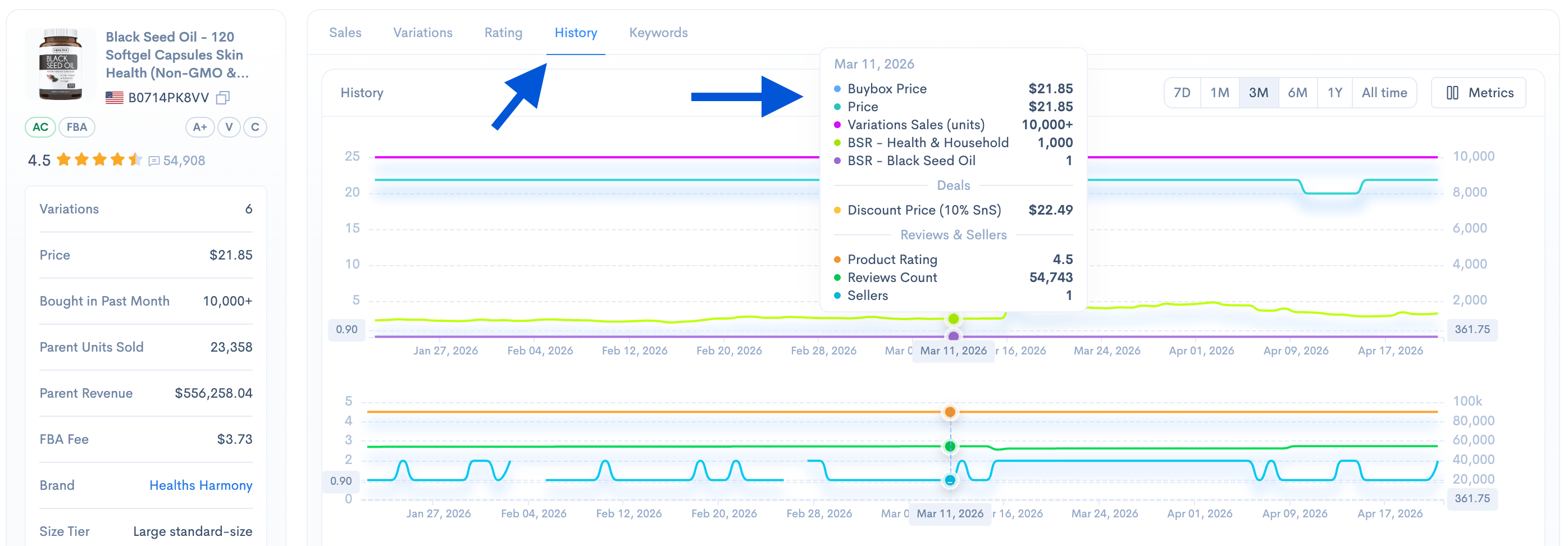
Step 8: Check Product History Before Making a Decision
Current revenue is helpful, but product history gives you better context.
A product may show strong revenue because of:
- A seasonal spike
- A temporary discount
- A viral trend
- A recent ad push
- A holiday period
Before deciding to sell a similar product, check whether the demand is stable over time.
In Sellerise, advanced product research data can help you analyze product performance more deeply and understand whether the opportunity is consistent or temporary.
Step 9: Estimate Profit, Not Just Revenue
After checking revenue, calculate whether the product can actually be profitable.
Revenue is not the amount you keep. You still need to subtract:
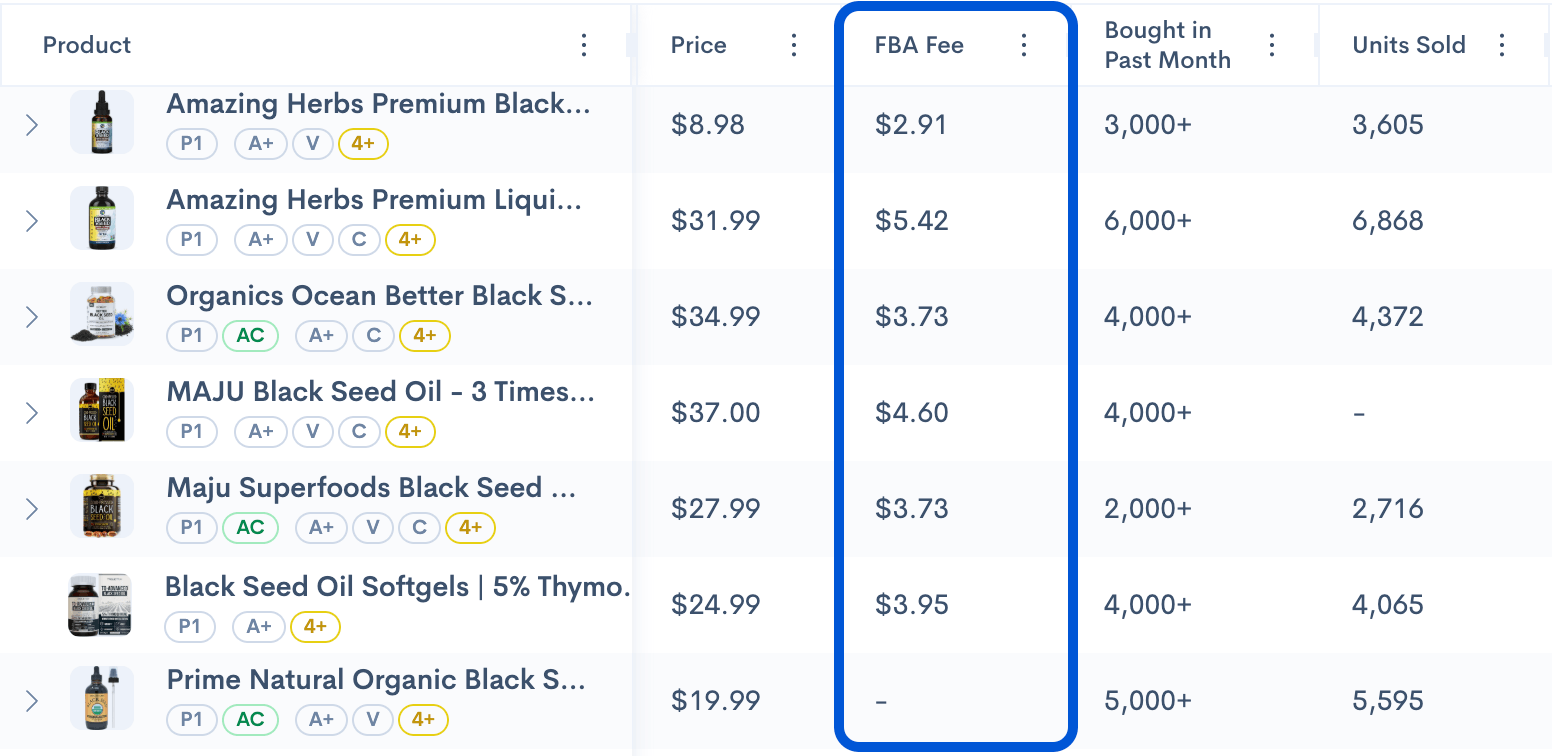
- Amazon referral fees
- FBA fulfillment fees
- Product cost
- Shipping cost
- Storage fees
- Returns
- PPC costs
- Coupons and discounts
A product with high revenue but low margins may not be worth it. A product with lower revenue but healthier profit margins may be a better opportunity.
You can use Amazon’s official Revenue Calculator to estimate fulfillment costs and compare profitability before making a final decision.
What Revenue Number Should You Look For?
There is no single perfect revenue number. A “good” product revenue depends on your budget, category, competition, and profit goals.
For beginners, a product with moderate revenue and manageable competition may be better than a product with extremely high revenue and thousands of reviews.
A good opportunity usually has:
- Enough demand
- Multiple products generating revenue
- Manageable competition
- Room for improvement
- Healthy profit margins
- Stable sales history
The goal is not just to find a product that makes money. The goal is to find a product you can realistically compete with.
Final Thoughts
Checking product revenue on Amazon helps you understand whether a product has real demand. But revenue alone is not enough.
Use it together with sales volume, reviews, price, listing quality, product history, and profit estimates.
A practical way to do this is to go to the Sellerise Product Research Chrome Extension, open Amazon, search for a product idea, and compare estimated revenue directly in the search results. This gives you a faster and clearer way to evaluate products while you browse.
The best product opportunities are not always the products with the highest revenue. They are the products with strong demand, manageable competition, healthy margins, and clear room to do better.