3 Main Things Amazon Sellers MUST Monitor Daily on Holidays

Sellerise Team, Contributor

3 min read -

Updated:

The holiday season is the highest-traffic, and the highest-risk, time of the year on Amazon. Searches spike, CPC skyrockets, and small issues quickly turn into lost sales or ranking drops.

To stay in control, you need a daily routine that protects visibility, profitability, and listing health.

Here are the 3 things you must check every single day, and how Sellerise helps you monitor them in minutes instead of hours.


1. Keyword Rank Volatility

Your visibility can change multiple times a day.

During holidays, keyword ranks move aggressively. A product that sits in the top 10 in the morning can slip to page 2 by the afternoon because of rising CPC, competitor pushes, or temporary conversion drops.


What to monitor daily

  • Your top 10-20 revenue-driving keywords
  • Rank drops (especially from page 1 → page 2)
  • Lost, absent, or deindexed keywords
  • Competitors suddenly climbing above you
  • Conversion rate dips on key search terms


Where to check

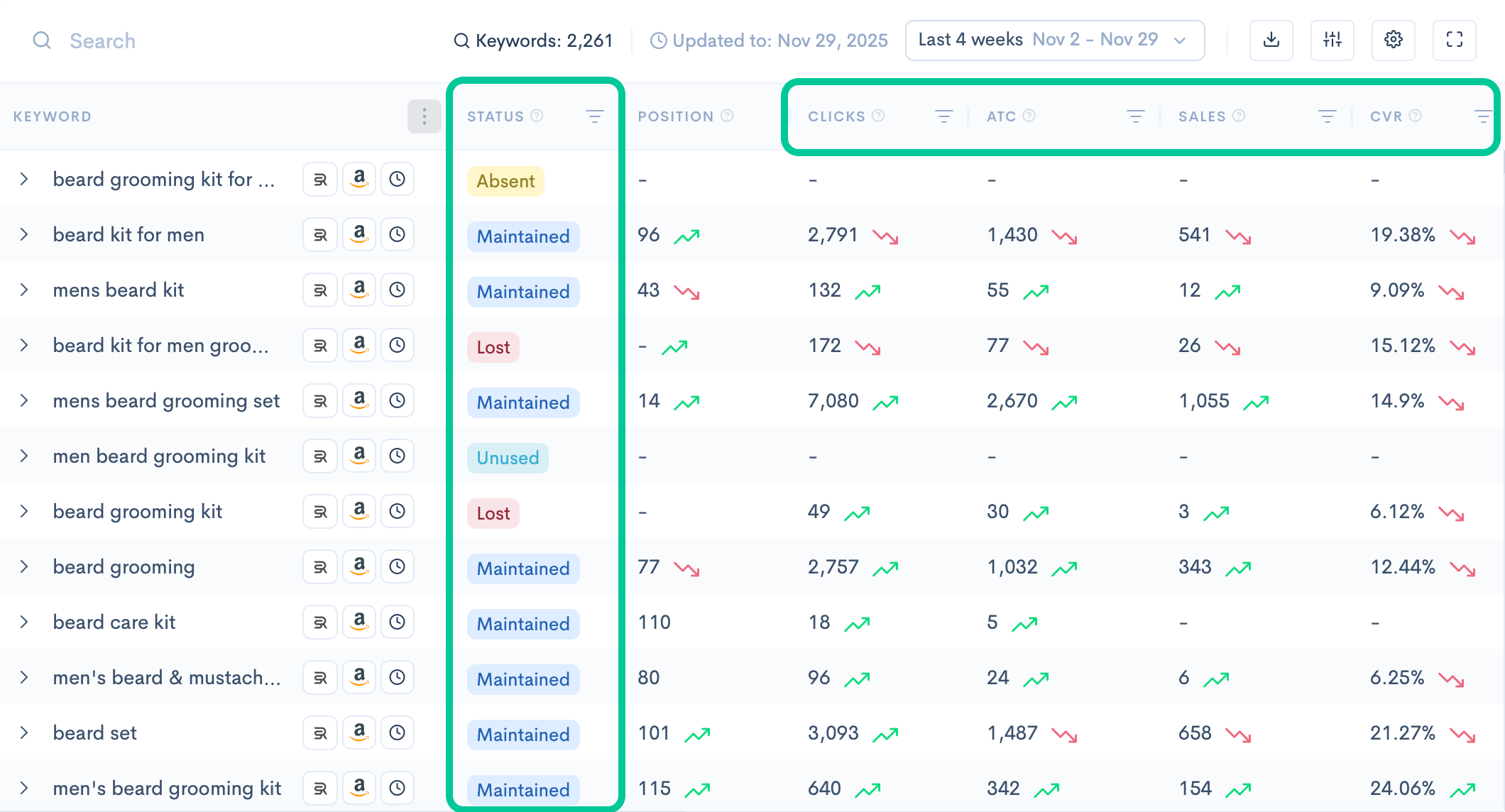
  • SQP Insights → shows your top revenue-driving keywords; drops in click share or purchase share (the first warning sign); lost, absent, or deindexed keywords, and more.
Screenshot of Sellerise SQP Insights dashboard showing keyword statuses, ranking positions, clicks, add-to-cart metrics, sales, and conversion rates.
  • Keyword Tracker → shows organic and paid keyword rank changes, instability, and sudden drops.

What to do if something changed

  • If CTR is down → improve main image or price
  • If rank drops → adjust PPC, check Buy Box, check reviews
  • If keyword disappears → open a suppression check immediately


2. PPC Costs, Budgets & Search Terms

Holiday PPC becomes unpredictable. CPC jumps, budgets drain early, and auto campaigns explode with irrelevant traffic.


What to check

  • CPC changes from yesterday
  • Campaigns that hit budget too early
  • Keywords losing impressions
  • Search terms wasting money


Where to check

  • Search Terms Explorer → irrelevant or high-spend/no-sale search terms
 

What to do if something changed

  • Increase budgets for profitable campaigns
  • Lower or pause weak ones
  • Add negative keywords daily
  • Shift budget to keywords with high purchase share


3. Listing Health, Buy Box & Conversion Signals

During holidays, even a short suppression or Buy Box loss can cost hundreds in minutes.


What to check

  • Suppressions
  • Buy Box status
  • Price changes
  • Inventory warnings
  • New negative reviews
  • Conversion rate drops
 

Where to check

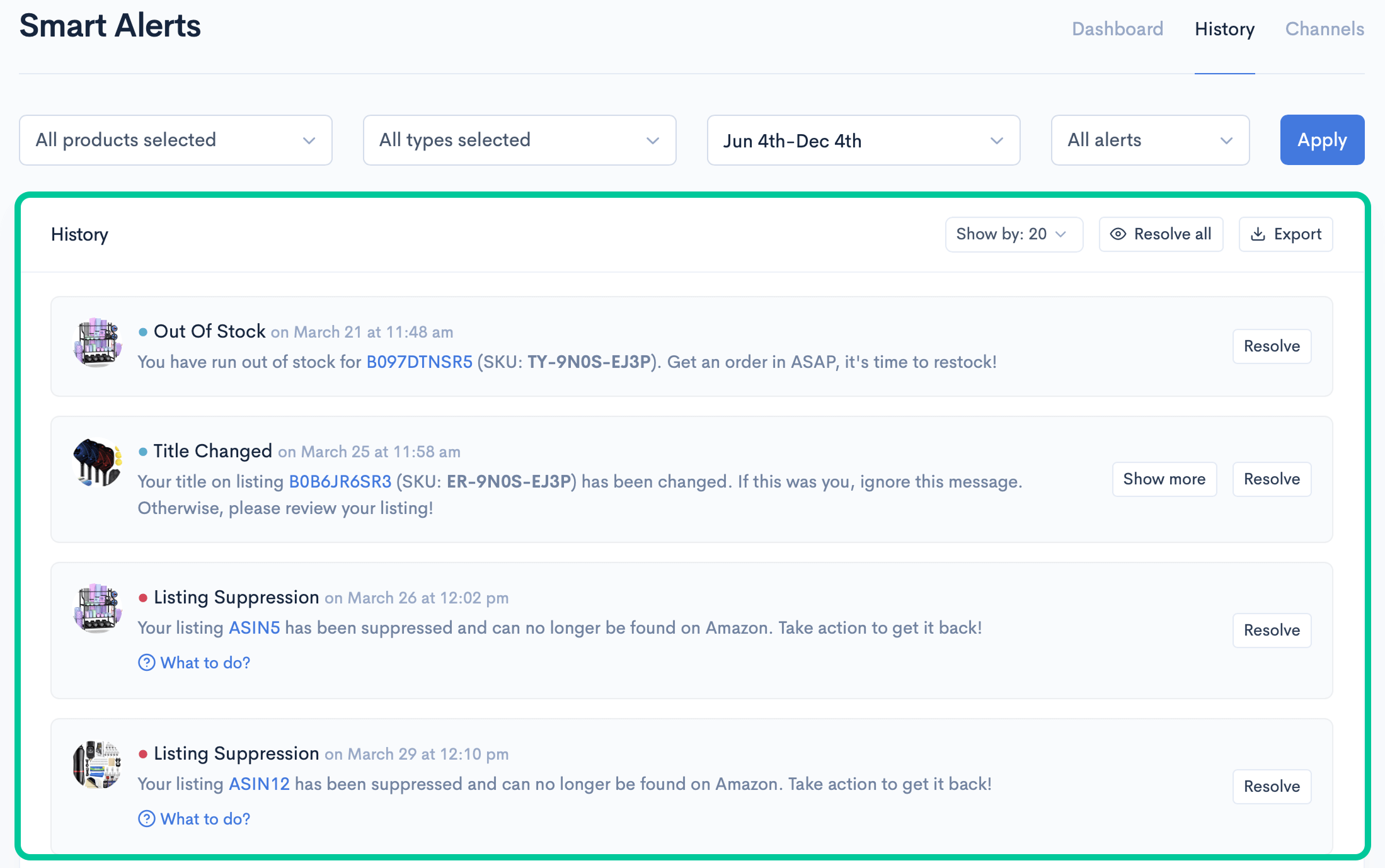
  • Smart Alerts → instant warnings for suppressions, Buy Box, inventory, price, and many more
  • Review Management → new reviews from the past 24 hrs

What to do if something changed

  • Fix suppression immediately
  • If Buy Box is gone → check pricing or seller activity
  • If reviews are negative → respond quickly via Review Puncher, update listing if needed
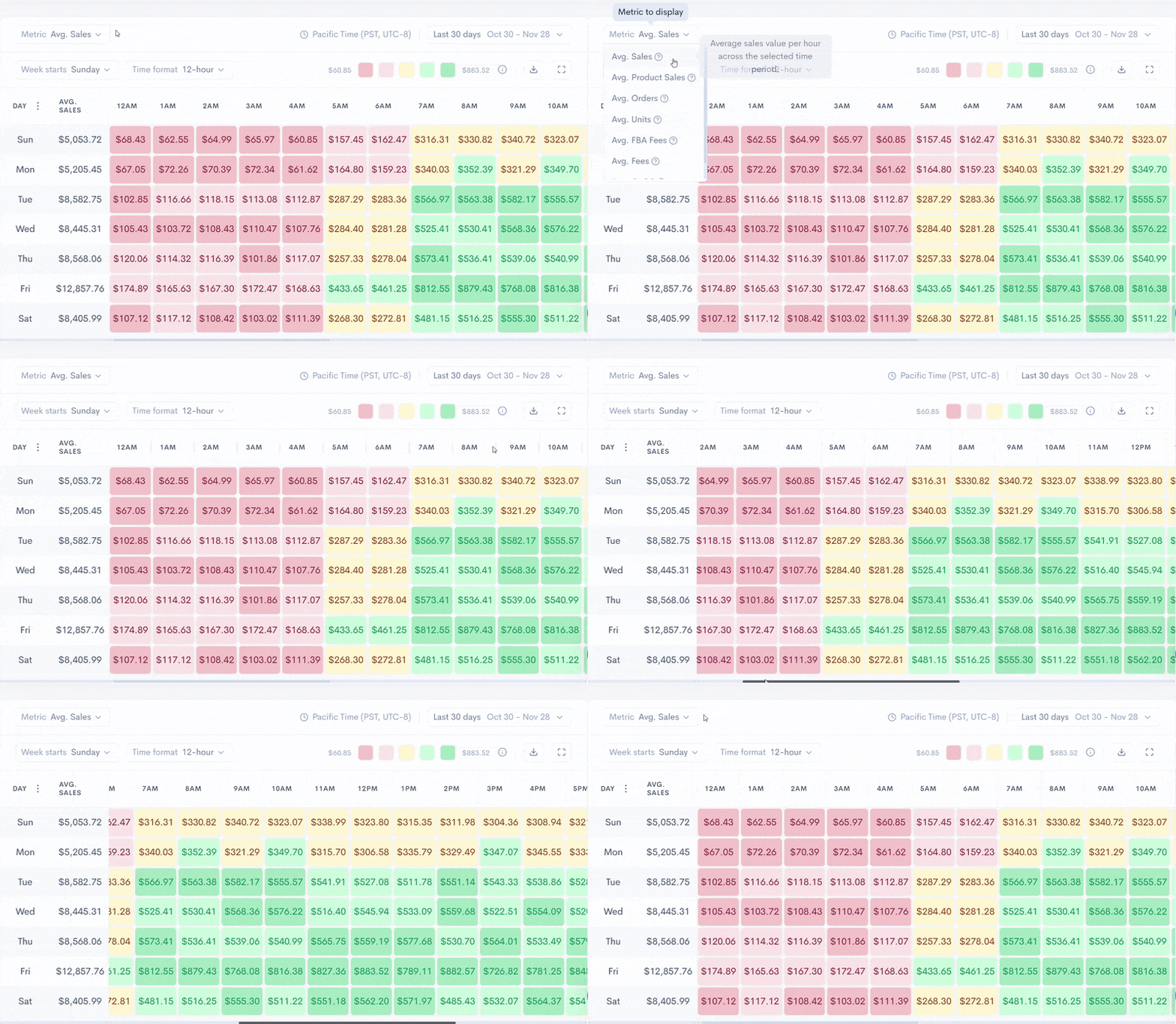
  • If your best hours shifted → adjust PPC budgets to match traffic peaks


Your Straightforward Daily Holiday Routine

  1. Check visibility
    • SQP Insights → sales funnel changes
    • Keyword Tracker → keyword rank drops
  2. Check ads
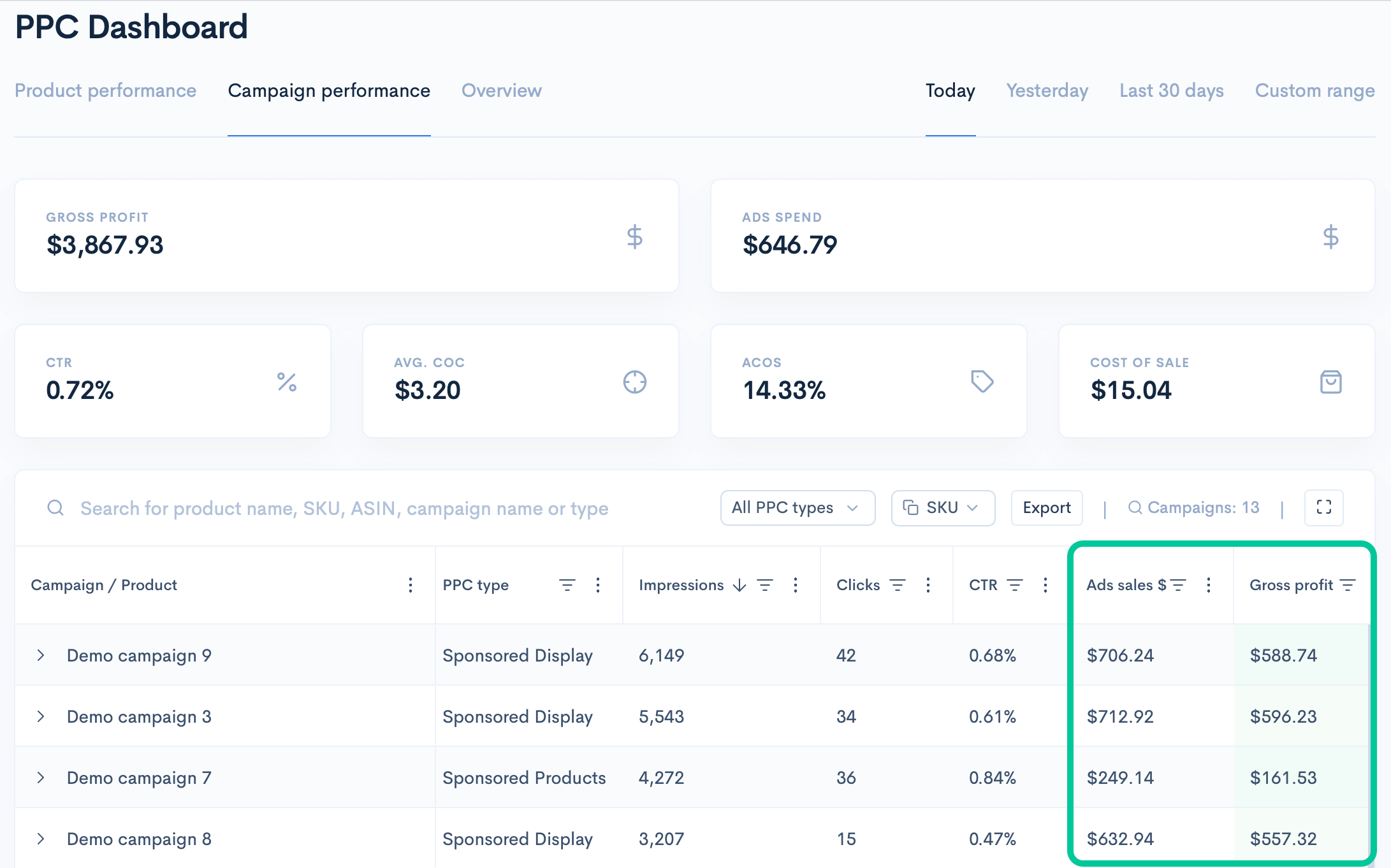
    • PPC Dashboard → CPC + budgets
    • Search Terms → negatives needed
  3. Check listing health
    • Smart Alerts → suppression/Buy Box/price
    • Reviews → new negatives
    • Heatmap Analytics → best hours for PPC pacing


Final Note

If you follow these checks daily, you can prevent 90% of holiday losses.

This routine keeps your visibility stable, your PPC efficient, and your listing healthy, even during the highest-pressure weeks of the year.

Sellerise Team, Contributor

Ready to scale your Amazon business?

Free 7 days trial. No Credit Card Required.